
A Google Forms alternative for quizzes and feedback.
Google Forms is a great free form tool, and it can grade a quiz. Quizoma is a free Google Forms alternative for quizzes and tests with flexible written-answer marking, fill in the blanks and per-question reports. You can also create unscored feedback surveys. No ads.
 Inside QuizomaExample screens
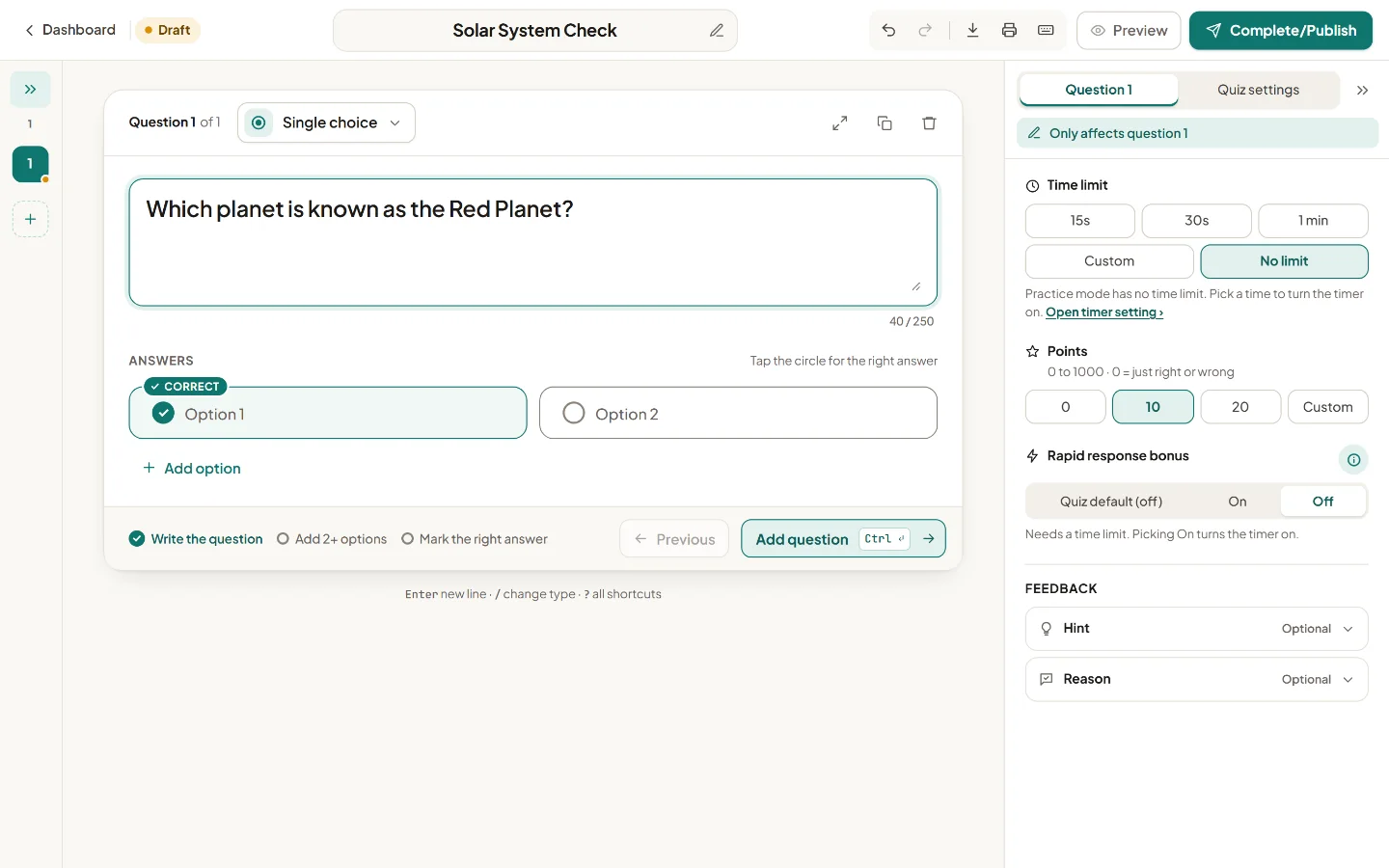
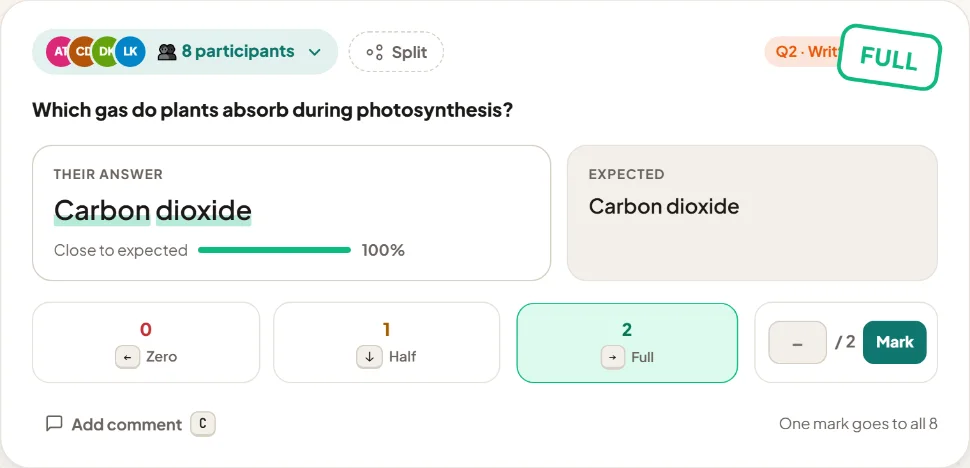
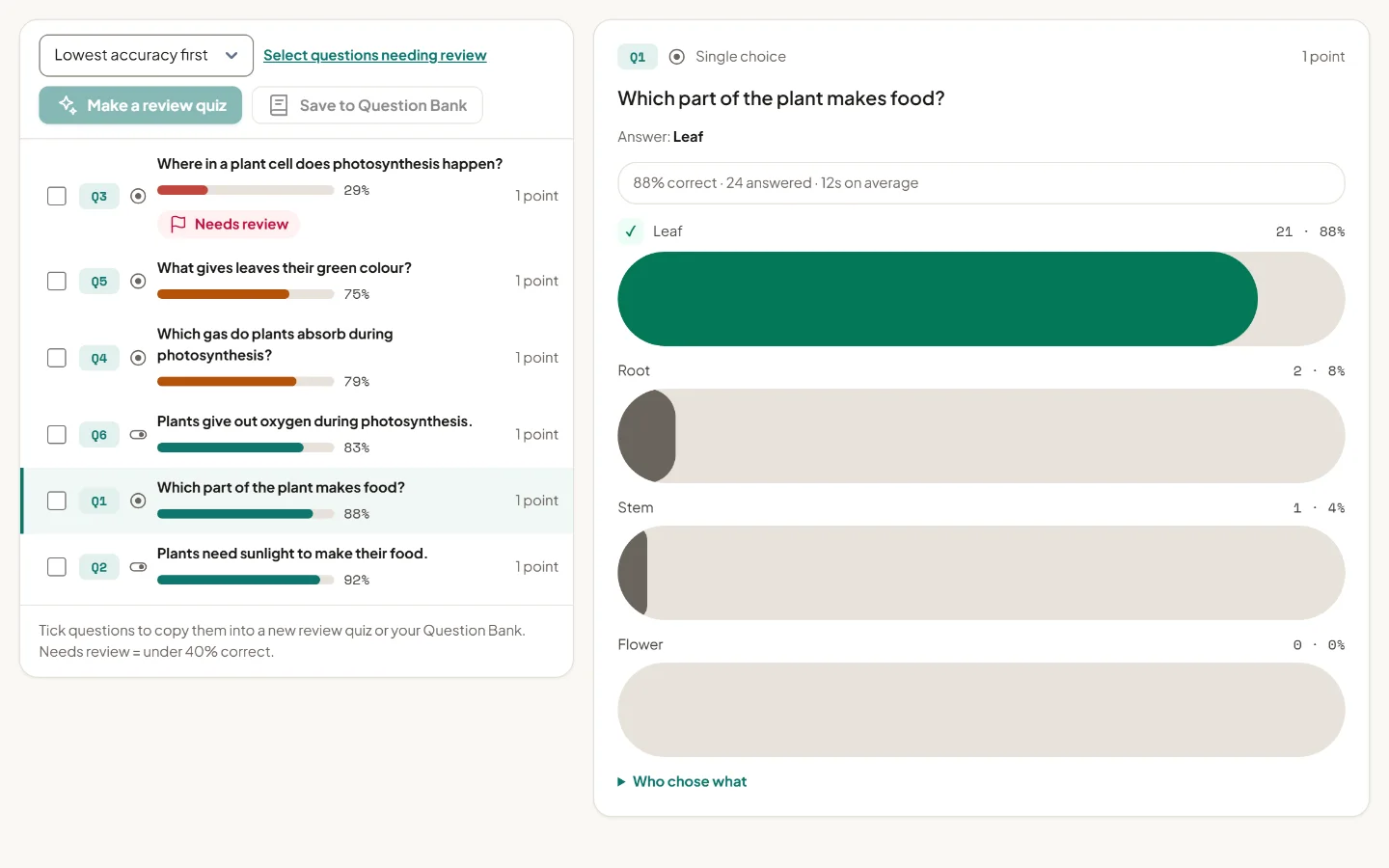
Explore the question editor, written-answer review and quiz reports.
Write the question and choose the settings that fit it.
Google Forms is a free form tool that can mark choice questions and short answers that exactly match one you listed. Quizoma supports quizzes, tests and unscored feedback surveys. In a quiz, a typed answer with a small slip can still count, you choose how strict each question is, and reports show which questions the class found hard.
For sign-up sheets, permission slips or a form connected directly to Google Classroom, Google Forms may fit better. For feedback, Quizoma also has an unscored survey maker.
Google Forms vs Quizoma for quizzes
A fair comparison for quiz use only. Google Forms does many other things well that Quizoma doesn't attempt.
| Quizoma | Google Forms | |
|---|---|---|
| Built for | Quizzes, tests and feedback surveys | Any kind of form, with a quiz mode |
| Cost | Free, no ads | Free |
| Typed answer with a spelling slip | Can still count — strictness set per question | Marked right only if it matches an answer you listed (not case-sensitive) |
| "7" and "seven" as the same answer | Yes, numbers match in any form | Only if you list both |
| Fill in the blanks | Yes, each gap with its own accepted answers | Usually built as separate short-answer questions |
| Right/wrong shown after each question | Optional Instant Correctness Flash | Results after the form is submitted |
| Per-question timer | Yes | Not built in |
| Joining | 6-character code or QR, in any browser | A link |
| Google Classroom integration | No — share the code in a post | Yes |
Where Google Forms is the better choice
General-purpose forms
For sign-up sheets, permission slips and administrative forms, Google Forms may be a better fit. Quizoma also offers unscored feedback surveys alongside its quiz and test tools.
Schools that live in Google Classroom
Forms connects to Classroom directly. Quizoma has no Classroom integration — you share a code instead.
Where Quizoma fits better
Typed answers you don't have to re-mark
"Photosynthsis" can still count as "photosynthesis" when you allow it, and "7" matches "seven". You choose how strict each question is, see why each answer scored, and can change any mark. Read more on smart grading.
Quiz settings, not form settings
Timers, a reading pause before choices appear, instant right/wrong, retakes and a bonus for quick answers — each one switch, with an ⓘ that explains it.
Results that teach you something
Accuracy for every question, score distribution, and PDF, Excel or CSV reports — including a parent report for one student that never shows other students' names.
Works offline on Android
The Android app keeps a quiz running when the school Wi-Fi drops and sends the answers when the connection is back.
Moving a quiz from Google Forms
Copy the questions out
Paste them into Quizoma as text, or put them in a .csv file: question, options, right answer.
Check and choose settings
Every question is shown for review. Then pick Test, Practice or Speed drill.
Share the code
Post the 6-character code or QR wherever your class looks — a chat, the board, or a Classroom post.
Honest limits
On the web, creators and participants sign in with Google or email. A free account has a limit on quizzes and on questions per quiz. There is no Google Classroom integration. The Android app is coming soon to Google Play.
Questions
Yes. Quizoma is free, with no ads and no in-app purchases. It supports quizzes, tests and unscored feedback surveys. For general-purpose forms or direct Google Classroom integration, Google Forms may fit better.
In a Google Forms quiz a short answer is marked right automatically only when it matches one of the answers you listed. In Quizoma you can let small spelling slips, number formats and synonyms count, choose how strict that is per question, and override any mark.
There is no Classroom integration. Students join with a 6-character code or a QR code, which you can post anywhere, including in a Classroom announcement.
No. On the web, creators and participants can sign in with Google or email. An account is required to create a quiz or submit answers.
Keep reading
Google Forms and Google Classroom are trademarks of Google LLC. Quizoma is not affiliated with, endorsed by or sponsored by Google. Product details are based on Google's publicly described features as of October 2026 and may change.