Skip to content
Quizoma Studio

Free Online Quiz Maker
Auto-grade or mark it yourself.

Turn your questions into a quiz. Add answers, share a link, and see the results in one place. You choose what gets graded automatically and what you review yourself.

  • Currently free
  • No ads
  • Works in your browser

Sign in with Google or email to create and save quizzes. Explore the demo before signing in. What’s included?

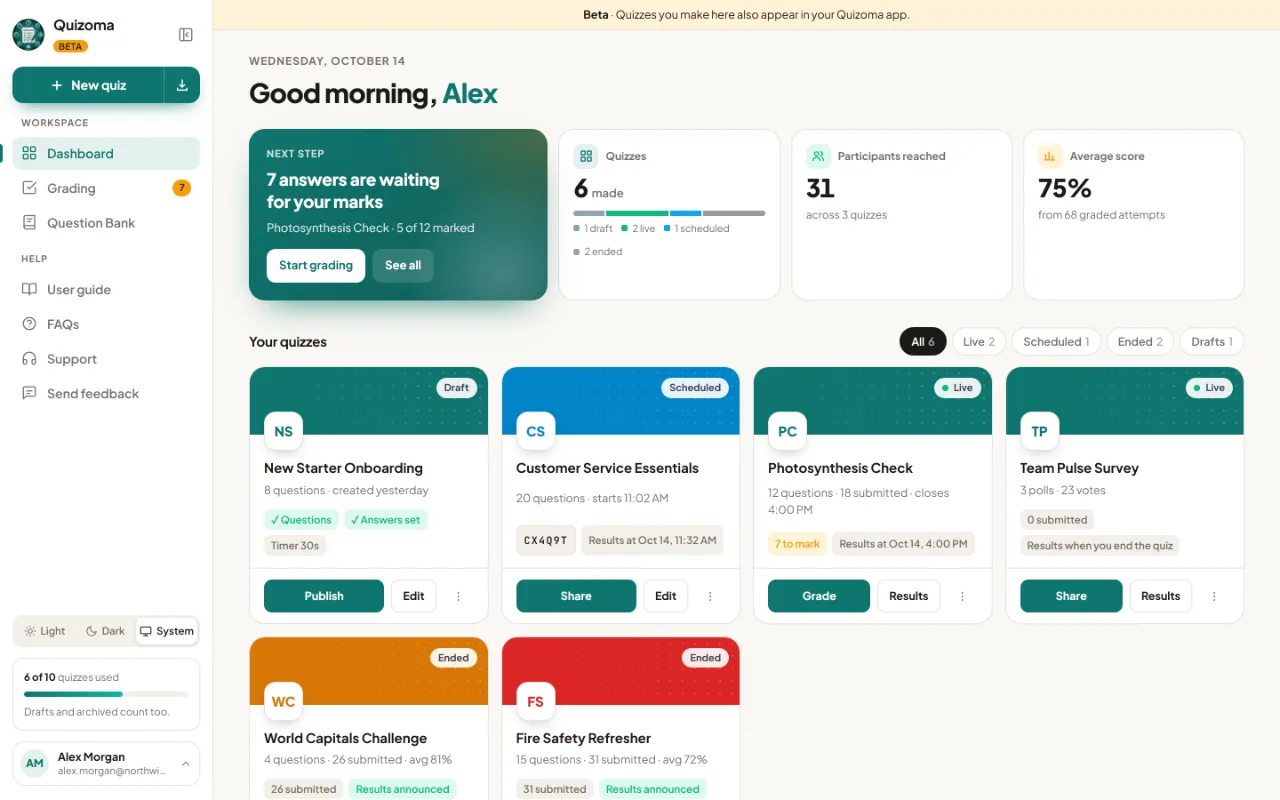
Quizoma Studio dashboard: 7 answers waiting for marks, quiz counts, participants reached, average score, and cards for live, scheduled, ended and draft quizzes.
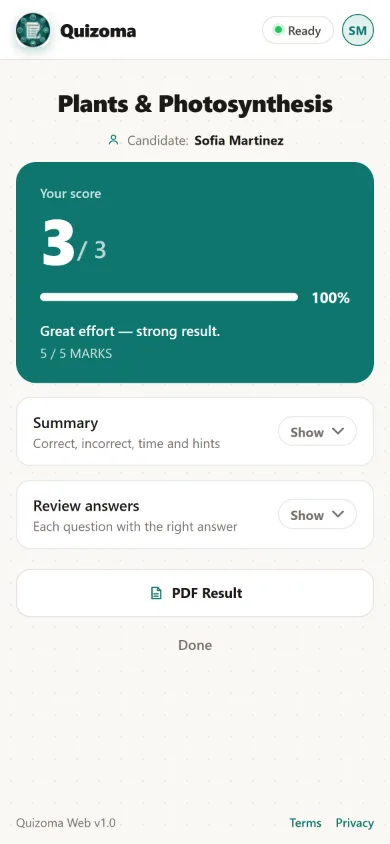
A participant's result on a phone: 3 out of 3, 100%, with Summary, Review answers and a PDF result.
  1. 1

    Build

    Write your questions, import a file, or choose a template. Add the correct answers and points.

  2. 2

    Share

    A 6-character code, a link or a QR. Nothing to install.

  3. 3

    Grade & announce

    Check automatic scores, review answers that need your judgment, then release results.

Build

Your questions. Your quiz format.

Mix single choice, multiple correct, true/false, written answers, fill in the blanks, ordering and polls. Start with a ready-made quiz template or add your own questions.

  • Timers, points, hints and explanations per question
  • Test, Practice or Speed drill in one click
  • Schedule a start and end time

Need a specific format? Explore the multiple choice test maker or fill in the blank generator.
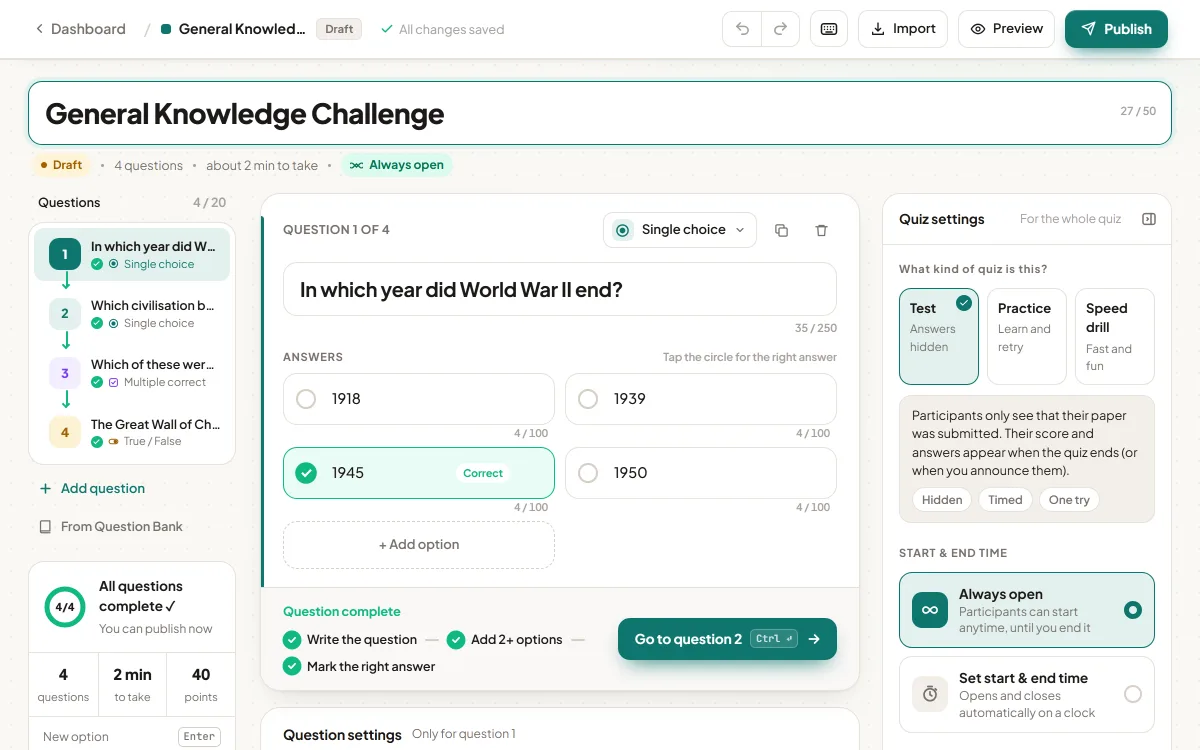
The Studio quiz builder: a question list, the question editor with 1945 marked correct, and Quiz settings with Test, Practice and Speed drill.
Import & reuse

Reuse questions you already have.

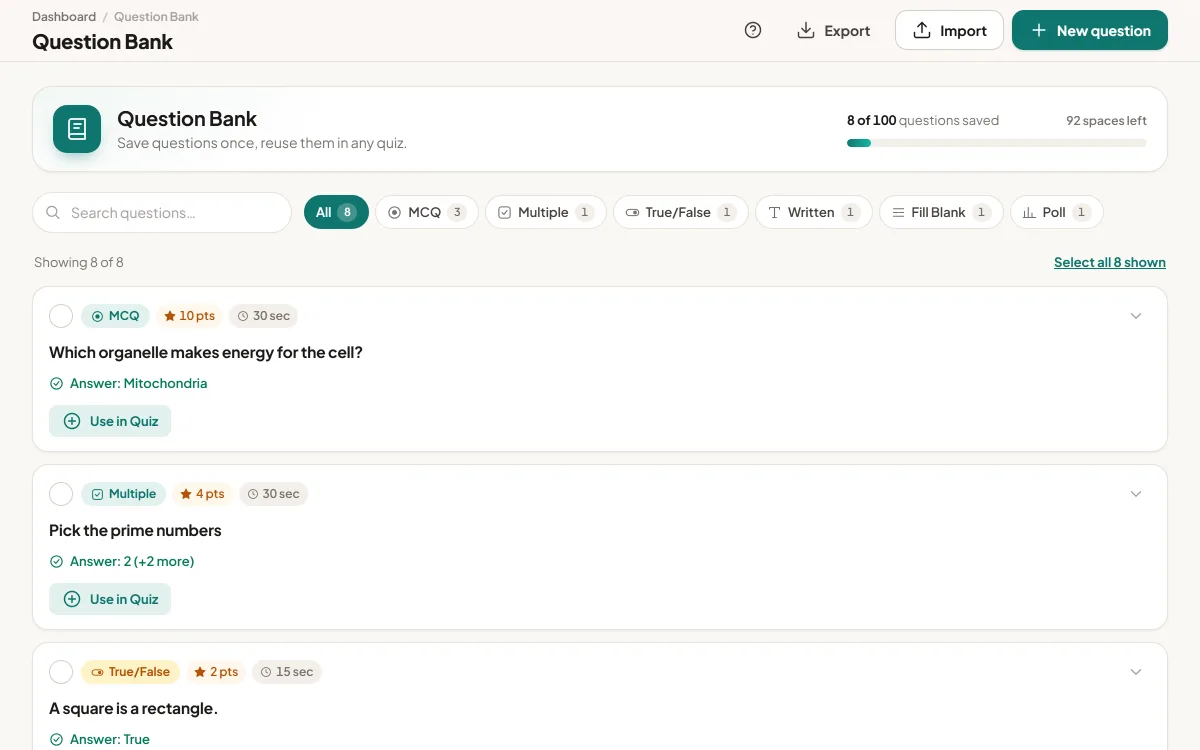
Paste text or drop a .txt / .csv file and get a ready quiz — or start from one of the free quiz templates. Keep your best questions in a Question Bank and drop them into any quiz.

  • A starter template to download
  • Duplicates skipped automatically
  • Save questions to reuse in your next quiz
The Question Bank: filters by question type and saved questions with their answers and a Use in Quiz button.
Grade

Automatic scores. You stay in control.

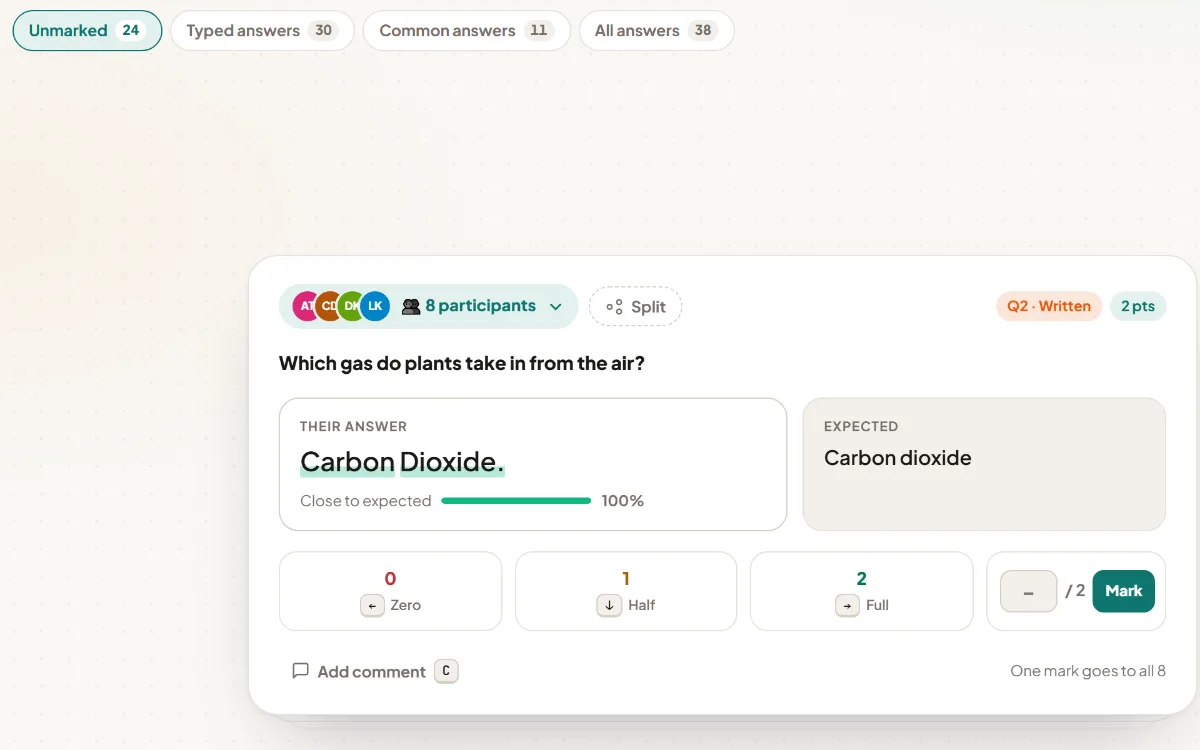
Choice questions use the correct answers you set. Written answers use your matching rules, with optional typo tolerance. For explanations or essays that need judgment, use manual marking. Identical answers are grouped so you can review them together.

  • Rapid Grade, by question, or one person at a time
  • Notes and quick comments on any answer
  • Marks stay drafts until you press Submit

See grading rules and worked examples →

Rapid Grade in Studio: 8 participants answered carbon dioxide, grouped into one card with Zero, Half and Full buttons and keyboard shortcuts.
Results

Know who needs help — before the next lesson.

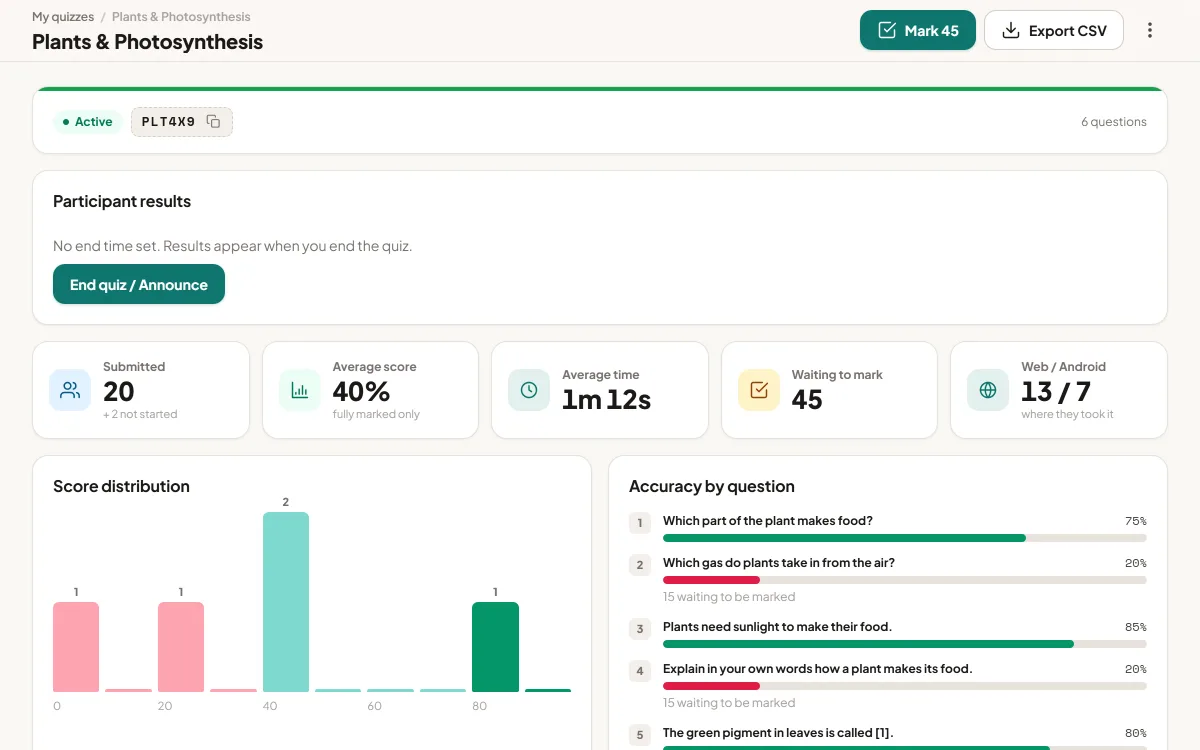
Score spread, accuracy per question and who took it where. Download PDF, Excel or CSV reports, and announce results when you are ready — not a second before.

  • Results when the quiz ends, or when you announce
  • A warning before announcing while it is still open
  • Urdu text exports correctly to Excel

Running quizzes for a whole school? The quiz maker for schools brings every class's results together. Just want your own quizzes in order? Sort them into quiz folders by class or subject.

Results for a Science quiz: participants submitted, average score, average time, answers waiting to mark, a score distribution chart and accuracy by question.
One account, every device

Make it on a laptop. Take it on a phone. Mark it anywhere.

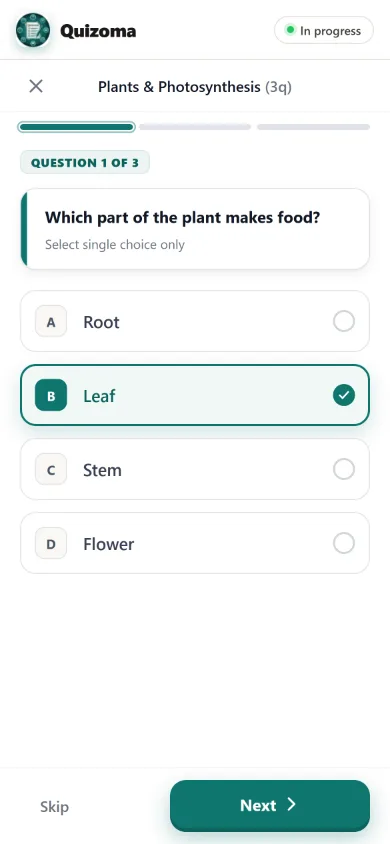
Create and review quizzes in your browser. Participants can open quizoma.com/take on a phone or computer, enter your code and sign in. No app installation is required.

Android app on Google Play · Coming soon

What can you do for free?

Quizoma Studio is currently free and ad-free. Sign in to save your work and manage results.

Quizoma Studio’s current browser features
Your taskWhat’s included
Create a quizEight question types, templates, question imports and a reusable Question Bank.
Share with participantsA link, 6-character code or QR code. Participants sign in to take your quiz.
Grade answersAnswer-key scoring, written-answer matching rules and manual marking.
Review resultsQuestion-level reports, downloadable results and control over when results are released.

Free access applies to the current service. Features, usage limits and pricing may change; see the terms of service.

Questions

Yes. Quizoma Studio is currently free and ad-free. Sign in with Google or email to create quizzes and save your work. Features, usage limits and pricing may change in the future, as explained in the terms of service.

No. You can create, share and grade quizzes entirely in your browser. Participants can take a quiz on a phone or computer without installing an app.

Share the link, 6-character code or QR code. Participants open quizoma.com/take in their browser, enter the code if needed, and sign in to answer.

Yes. Choice questions are scored using the correct answers you set. Written answers use configurable matching rules, including optional typo tolerance. This checks answers against your rules; it does not judge an essay’s reasoning. Use manual marking when an answer needs your judgment.

Yes. Turn on manual marking for answers you want to review. Use Rapid Grade, grade by question or per-person marking, and adjust marks before announcing results.

Yes. Choose a quiz template and edit its questions and answers for your audience. You can also write questions yourself or import a supported .txt or .csv question file.