

7 types of quiz questions — and when each one works best.
Multiple choice checks facts fast. Fill in the blanks and short answers check real recall. Ordering checks a process. The best quizzes mix them. Here are the seven types of quiz questions, an example of each exactly as students see it, and how each one is marked — and how to print them all as an exam paper.
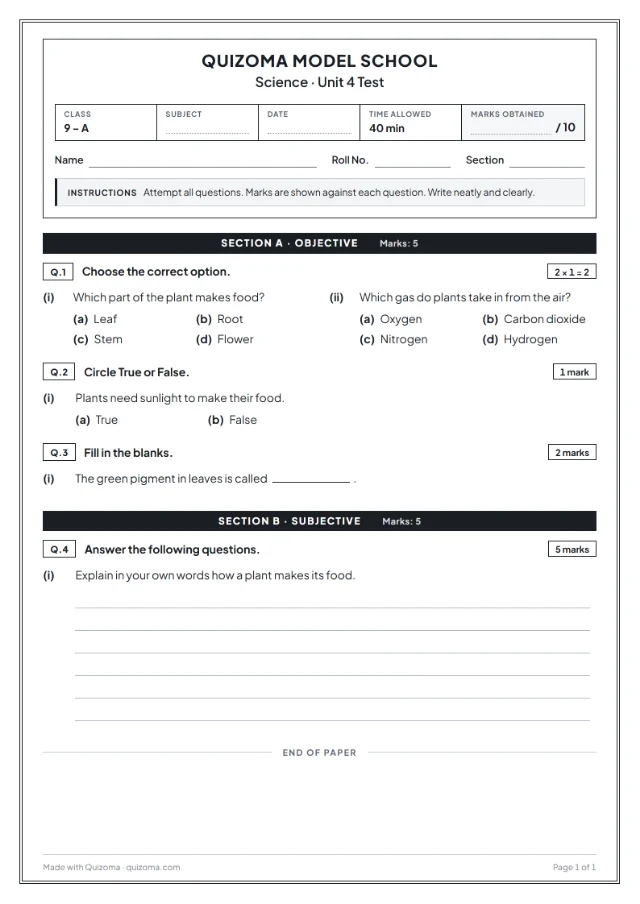
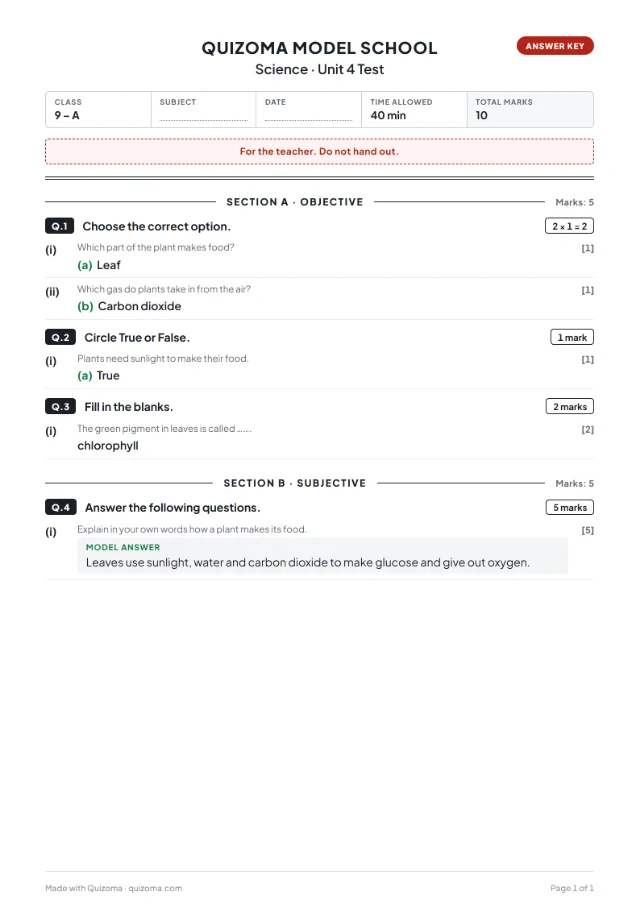
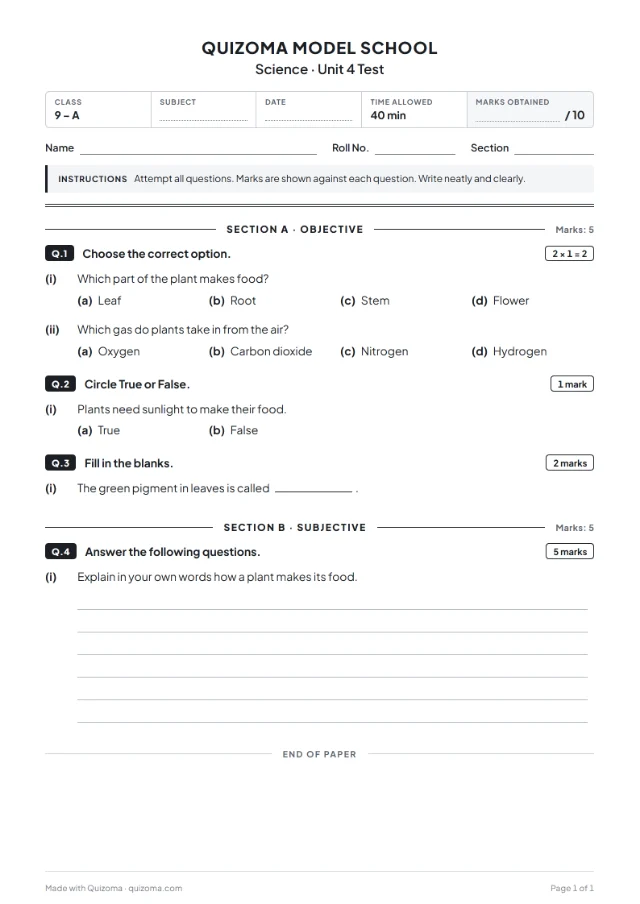
1. Multiple choice
One correct option, with points and an optional time limit. The fastest way to check facts.
MCQ test maker →2. Select all that apply
Students tick every right answer. Credit for each one they get — and ticking every box doesn't pay.
3. True / false
Quick to answer and great for catching misconceptions. Add a box to explain why.
4. Fill in the blanks
Students type the missing word. Each blank lists its accepted answers; capitals and punctuation are ignored.
Fill in the blank generator → Auto or by hand5. Short answer
Answers in their own words, marked with typo-tolerant matching — or switch to marking by hand.
How smart grading works →6. Put in order
Students arrange shuffled items. Items close to their right spot still earn partial credit.
7. Poll
An opinion question with no right answer. Results build into a live bar chart.
Make it a survey →Mix all seven types of quiz questions in one quiz.
Write them, paste them or import a file — then share a code or print a paper.
How to mix question types: a 10-question recipe
Warm up: 4 multiple choice
Quick wins build confidence and check the basic facts.
Recall: 3 fill in the blanks
Key terms students must produce, not just recognise.
Process: 1 put in order
A sequence, a timeline or the steps of a method.
Thinking: 2 short answers
Finish with “why” or “explain” — marked automatically or by you.
Put your questions on paper: make a quiz and print it in 4 steps
- 1
Make your quiz
Type your questions, import a .txt or .csv file, or start from a free template — multiple choice, true/false, fill in the blanks, short answer and put in order. Sign in with Google once; it is free.
- 2
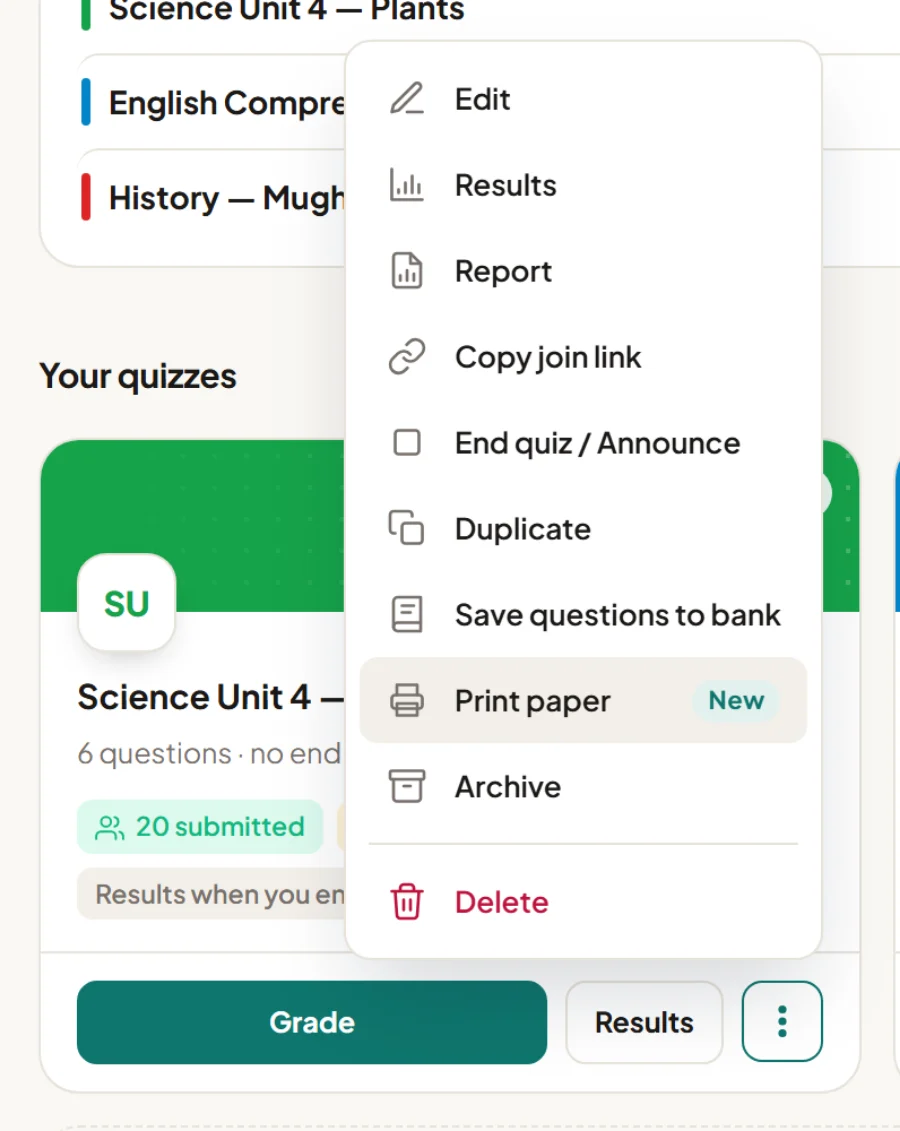
Open “Print paper”
On your Quizoma Studio dashboard, open the ⋮ menu on any quiz and choose Print paper. Already inside the quiz editor? Press the Print button at the top — it prints what you see, even before you save.
- 3
Choose how the paper looks
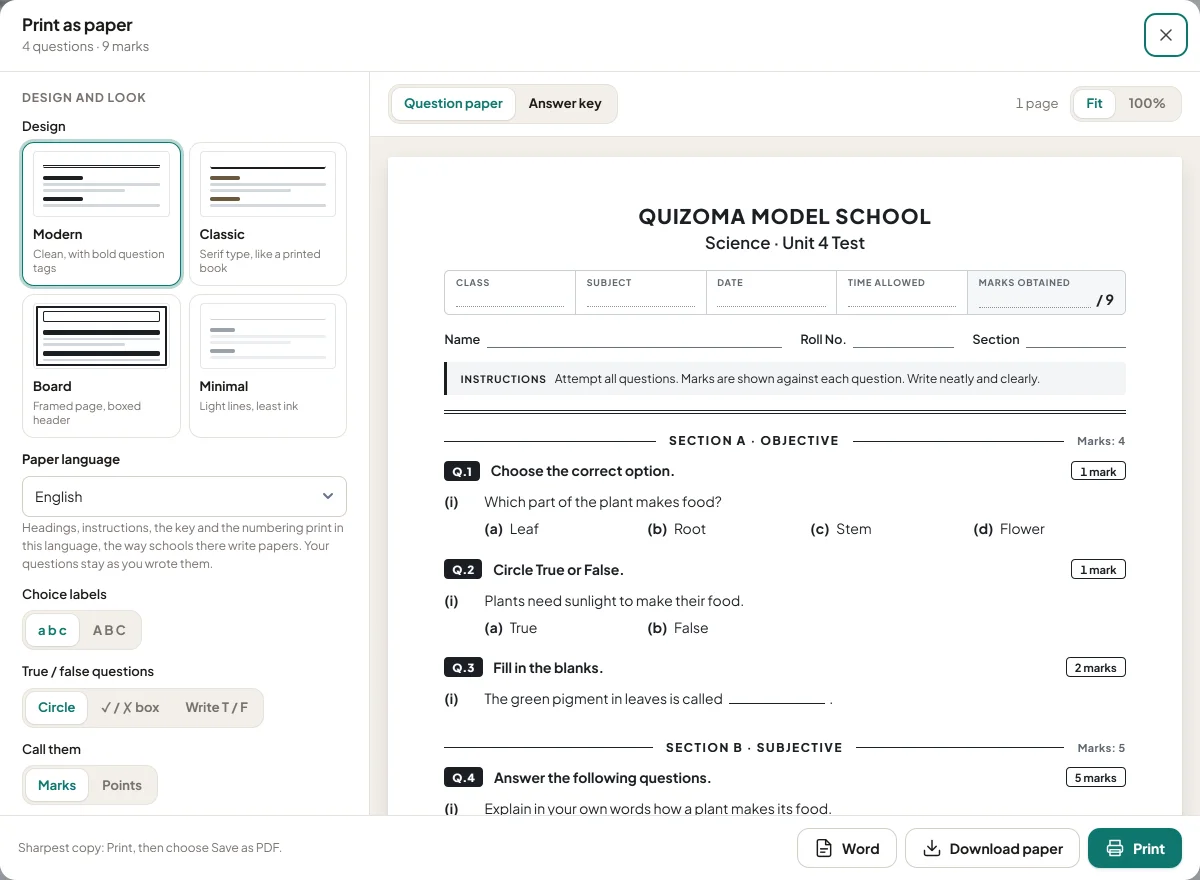
Add your school name and logo, then pick a design, the paper language (14 to choose from), sections or a ruled table, versions A–D, a watermark and an answer-key page. The preview on the right updates as you click.
- 4
Print it or download it
🖨️PrintStraight from the browser to your printer📄PDFThe paper, and the answer key as its own file📝WordAn editable .docx to change afterwardsOn paper the question types are grouped for you: objective questions first (choose the correct option, true/false, fill in the blanks), written answers after, each with its marks.
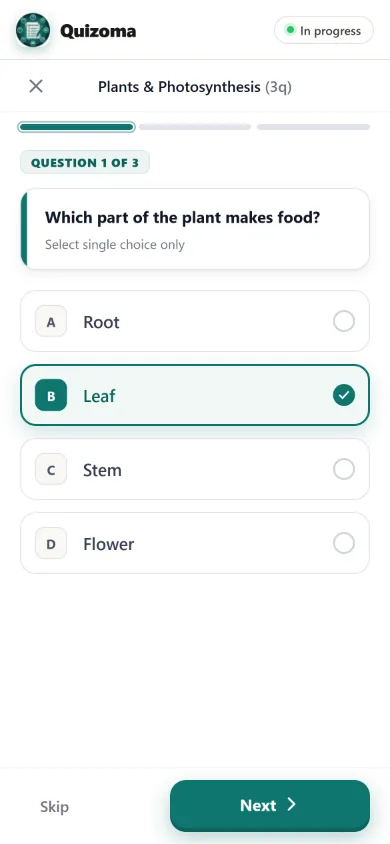
What students see — online or on paper
Online, every type of quiz question works on any phone or laptop browser with a 6-character code. On paper, the question paper generator groups the same questions into sections. Want ready-made multiple choice? Try a free online MCQs test.
Then choose how the quiz runs: practice, test, homework and more in the six types of quizzes.
Quizoma does not write questions for you. Audio and video questions are not available yet. By default an account holds 10 quizzes of up to 20 questions each.
Questions
The common types are multiple choice, select all that apply, true/false, fill in the blanks, short answer, put in order (sequencing) and polls. Quizoma supports all seven in one quiz.
Short answer and fill in the blanks test recall rather than recognition; an ordering question checks a process. Mix them with multiple choice for a quick, fair quiz.
Yes. Quizoma compares each answer with your answer key using typo-tolerant matching, or you can switch the quiz to marking by hand.
On select-all and put-in-order questions, yes: students get credit for what they got right. Multiple choice, true/false and fill in the blanks are right or wrong per blank.
No. A poll has no right answer; it collects opinions and shows the results as a bar chart.
Yes. Print paper lays every type out on an exam paper — choose the correct option, true or false, fill in the blanks, put in order and written questions — with an answer key. Polls are left out because they have no answer.