

Stop retyping papers in Word. Generate them.
Quizoma's free question paper generator turns your questions into a print-ready exam paper — school header, sections, marks and answer lines — plus a separate answer key. Print it, or download it as a PDF or an editable Word file. In minutes, not an evening.
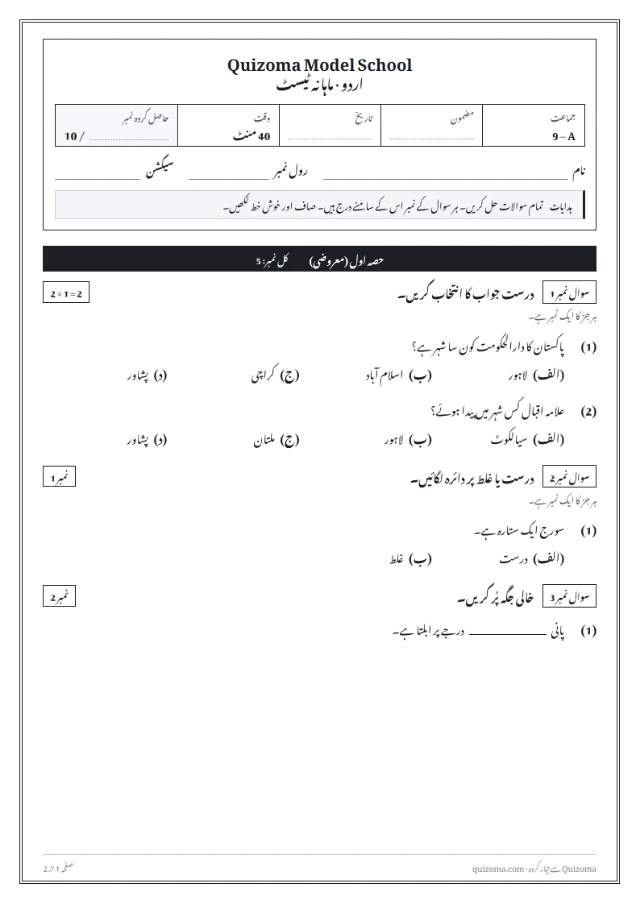
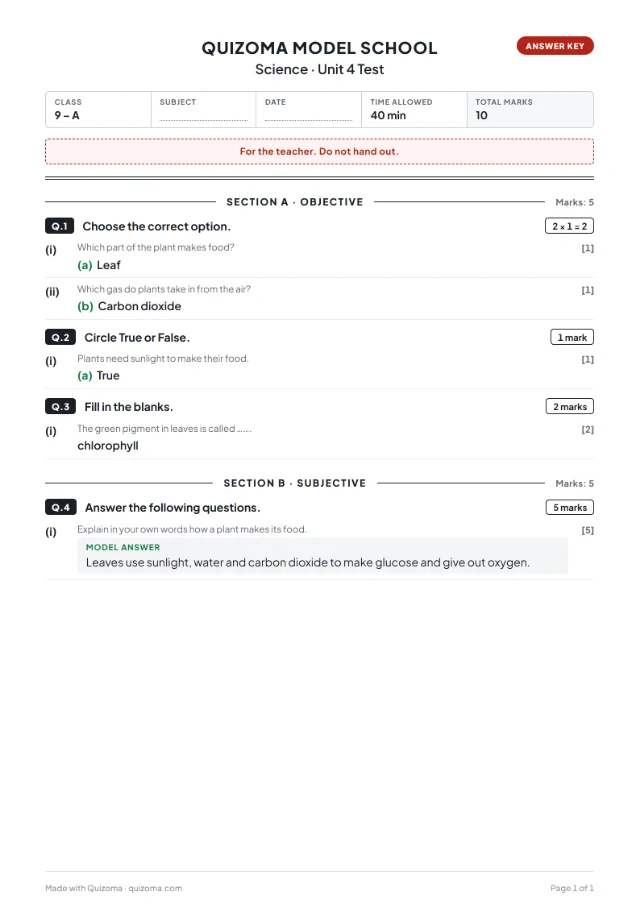
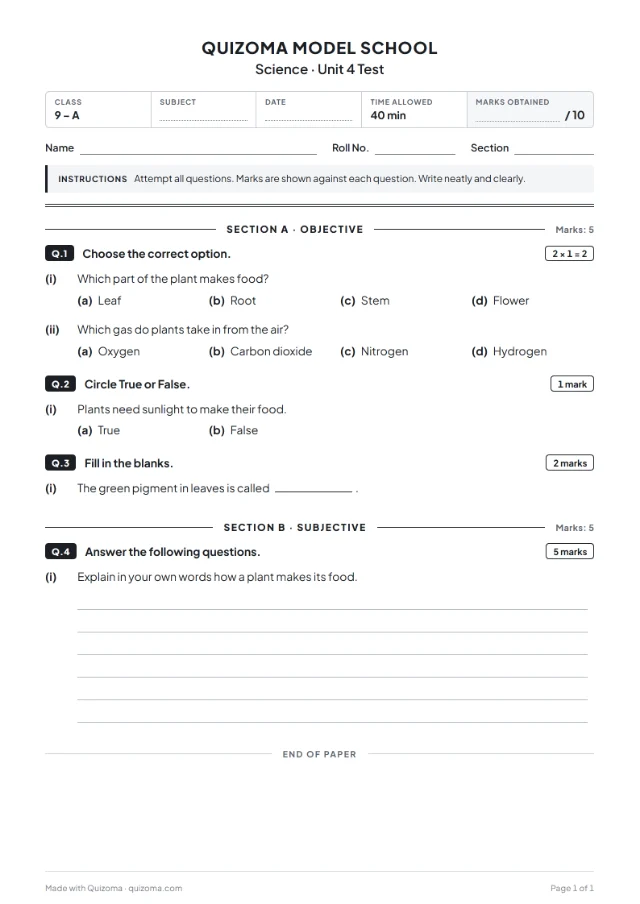
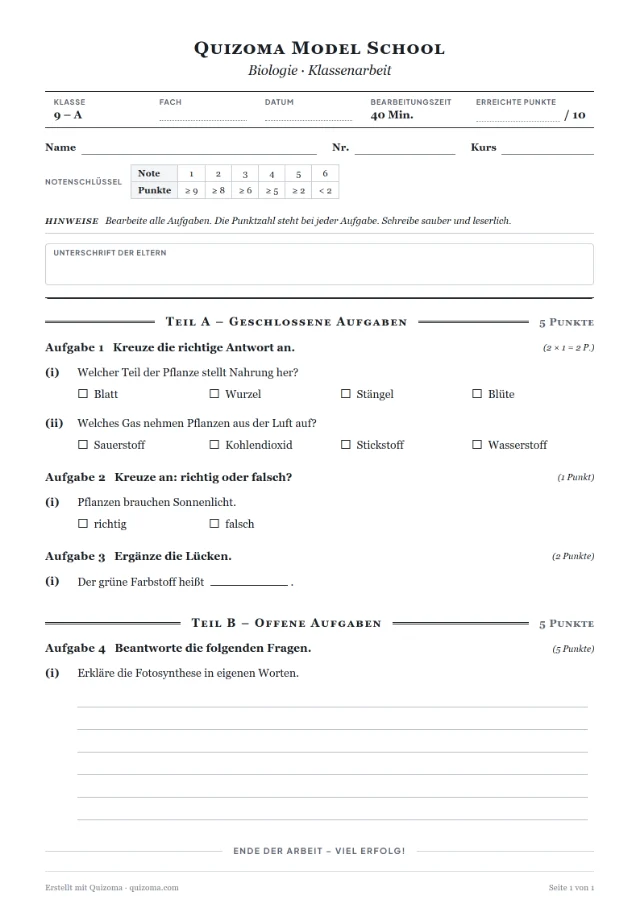
Real papers, made in the question paper generator — English, Urdu and German. Same questions, each written the way schools there write a paper.
Make a quiz and print it as a paper: 4 steps
- 1
Make your quiz
Type your questions, import a .txt or .csv file, or start from a free template — multiple choice, true/false, fill in the blanks, short answer and put in order. Sign in with Google once; it is free.
- 2
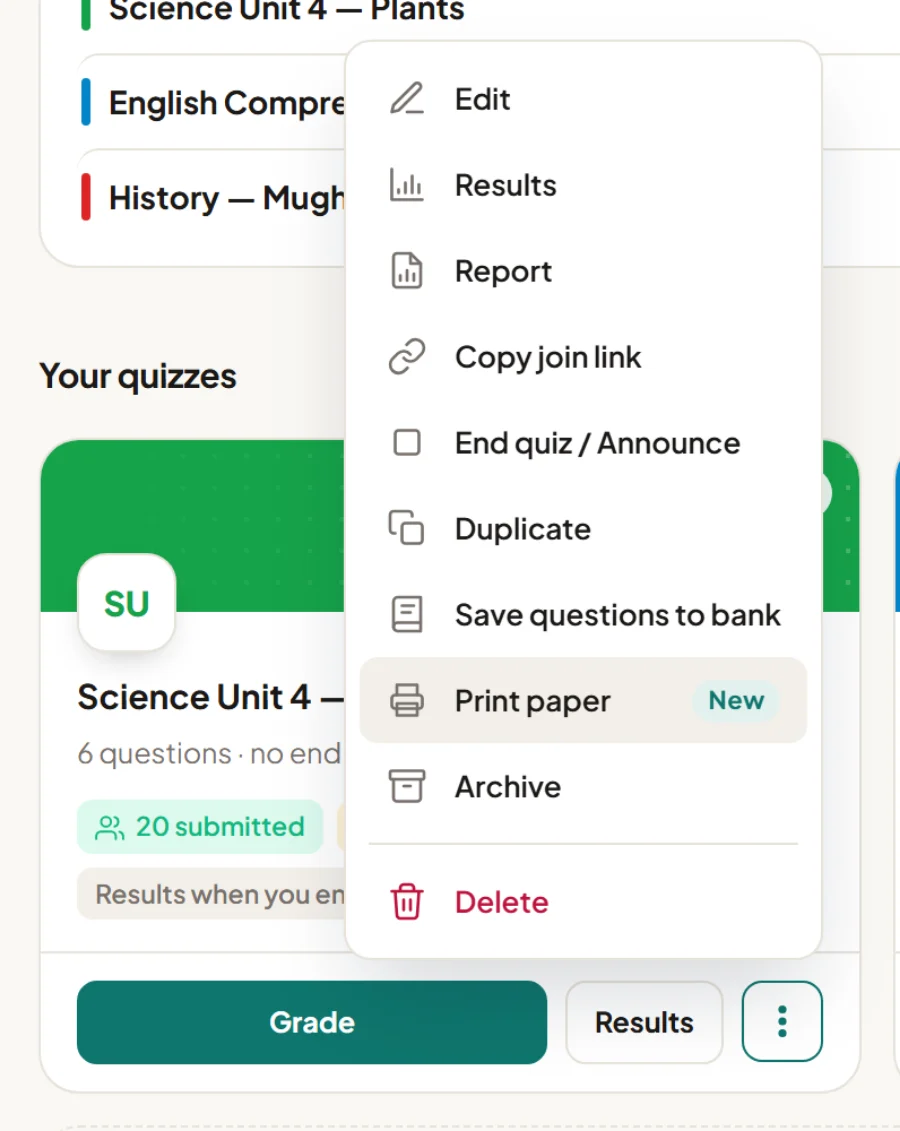
Open “Print paper”
On your Quizoma Studio dashboard, open the ⋮ menu on any quiz and choose Print paper. Already inside the quiz editor? Press the Print button at the top — it prints what you see, even before you save.
- 3
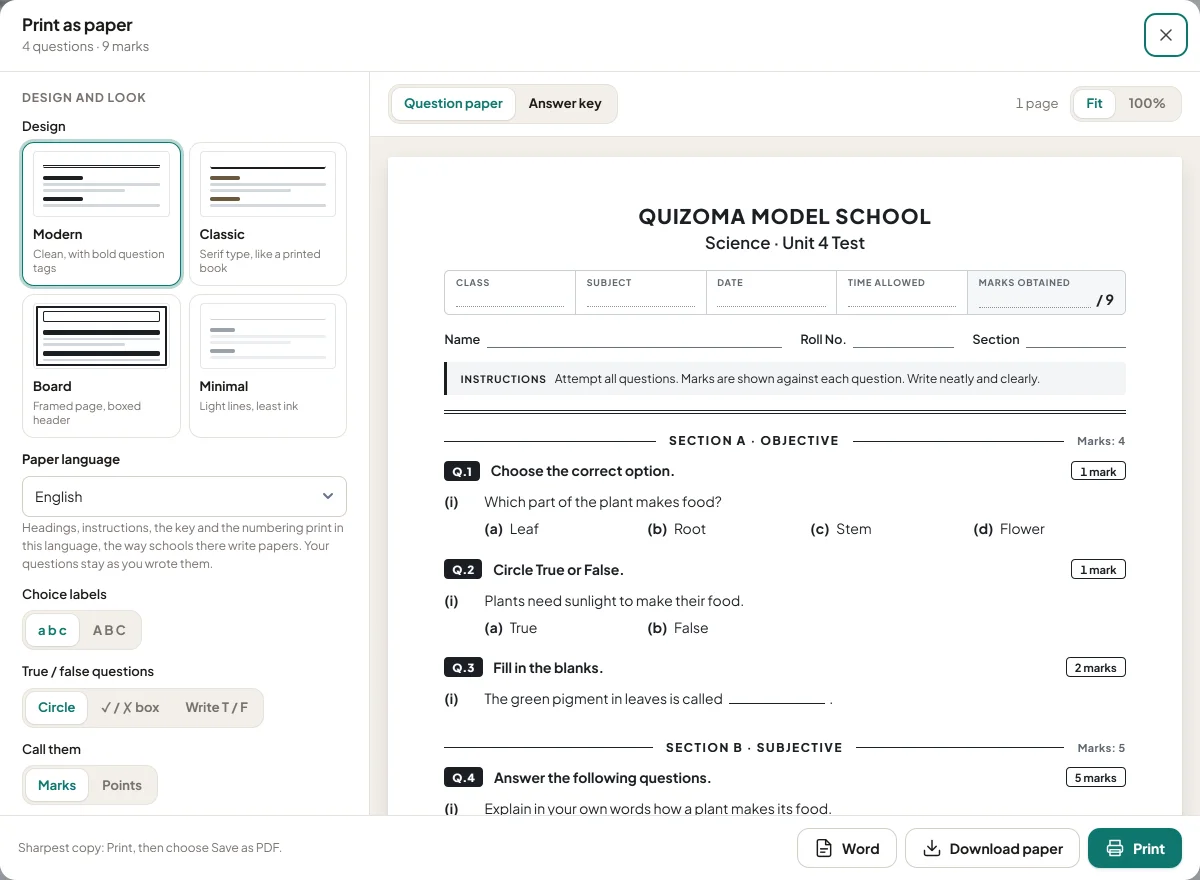
Choose how the paper looks
Add your school name and logo, then pick a design, the paper language (14 to choose from), sections or a ruled table, versions A–D, a watermark and an answer-key page. The preview on the right updates as you click.
- 4
Print it or download it
🖨️PrintStraight from the browser to your printer📄PDFThe paper, and the answer key as its own file📝WordAn editable .docx to change afterwards
Your next test paper, ready in minutes.
Free question paper generator — PDF, Word and answer key included.
Question paper kaise banaye? How to make a question paper
If you searched “question paper kaise banaye”, here is the short answer: write the questions once, group them into sections, give every question its marks, add an answer key — then print. Doing that by hand in Word takes an evening. In Quizoma it is the four steps above, and a good paper always has the same five parts:
A header
School, class, subject, date, time allowed and total marks, with name and roll number lines.
Instructions
One short line: attempt all questions, marks are shown, write neatly.
Sections
Objective questions first, then written ones — like a school or board paper. Quizoma groups them for you.
Marks on every question
“5 × 2 = 10”, or “answer any 5 of 8” when students may choose.
An answer key
Your own copy: the right option, accepted blank answers and a model answer — never on the students' paper.
Looking for a paper generator app?
Quizoma's paper generator runs in the browser on a phone, tablet or laptop — nothing to install. The Android app (free on Google Play from 1 November 2026) makes and shares quizzes, but printing a paper is in the browser version for now. A paper generator lays your questions out as a printed paper; a quiz maker runs the same questions online and marks them. Quizoma does both from one set of questions.
Everything a real exam paper needs
A proper exam header
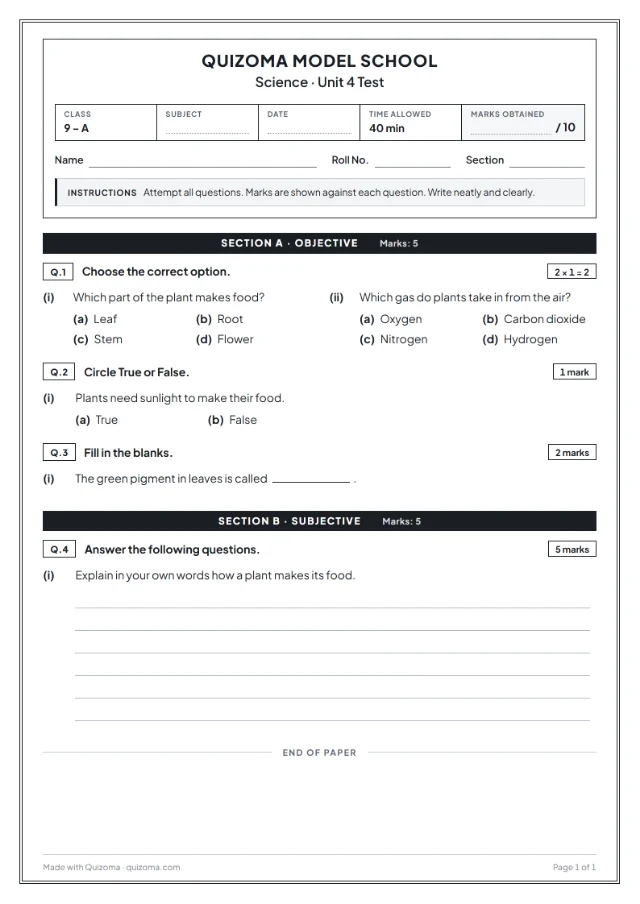
School name and logo, title, class, subject, date, time allowed and a “Marks obtained ___ / total” box, with name and roll number lines.
Sections and marks
Objective first, written after, each with its marks — “5 × 2 = 10” — and “answer any 5 of 8” when you want a choice.
Answer key, separately
The right option, accepted blanks, the correct order and model answers — on their own pages, never on the students' copy.
A/B versions
Up to four versions with questions and options shuffled, each with its own key. Different paper for every row of desks.
Bubble / OMR sheet
Add a bubble answer sheet: a row of lettered circles for every choice question, ready to check against the key.
PDF or editable Word
Download a PDF to print, or an exam paper template in Word (.docx) you can still edit.
An answer key generator, built in
Flip the preview to Answer key and you get the teacher's copy: every correct option, the accepted answers for blanks, the right order and the model answer for written questions — with marks. Print it or download it as its own PDF or Word file.
Made several versions? Each version gets its own key, so marking stays quick.
Four designs — and a test paper that saves paper
Choose Modern, Classic, Board (a framed, board-exam look) or Minimal. Print choice questions two to a row, add a faint watermark with your school's name, and pick sections, quiz order or a ruled table with a marks column. A4 or Letter.
Need the same test online too? Share a code and pick one of the six types of quizzes. Want ready questions? Start from a free online MCQs test.
Question papers in 14 languages
The paper's headings, instructions, numbering and answer key print in the language your school uses — written the way papers are written there: “سوال نمبر 1” with (الف) choices in Urdu, “Aufgabe 1” with tick boxes in German, a marks column in Persian, Bengali numerals in Bangla. Your questions stay as you wrote them. Arabic readers: نموذج اختبار جاهز للطباعة.
Question paper maker, test paper generator, exam paper template — one tool
Whether you call it a question paper maker, a paper generator, a test paper generator or an exam paper template, it comes down to the same job: your questions, laid out cleanly, with marks and an answer key. Quizoma does all of it — and the same questions can also run as an online test with automatic marking.
Quizoma has no ready syllabus question bank and does not write questions for you: you write, paste or import them, or start from a template. Printing is in Quizoma Studio (the browser version, in beta), not in the Android app yet. By default an account holds 10 quizzes of up to 20 questions each. The Word file uses one simple layout rather than the four designs.
Questions
Yes. Printing, PDF and Word downloads, answer keys and versions are free, with no ads. A small “Made with Quizoma” line is on by default and can be switched off.
Add your questions in Quizoma Studio (type them, paste them, import a file or start from a template), open the quiz's menu and choose Print paper, set the header and layout, then print or download the paper and its answer key as PDF or Word.
Quizoma's paper generator runs in the browser on a phone, tablet or laptop, with nothing to install. The Android app makes and shares quizzes, but printing a paper is only in the browser version (Quizoma Studio) for now.
A quiz maker runs the test online and marks it for you; a paper generator lays the same questions out as a printed exam paper with an answer key. Quizoma does both from one set of questions.
Yes. Download the paper or the answer key as a Word (.docx) file and edit it further, or as a PDF.
Yes. The answer key is its own document with the right option, accepted answers for blanks, the correct order and model answers — print it or download it separately.
Yes, up to four versions with the questions and options shuffled, each with its own answer key.
Yes. Switch on the bubble answer sheet to add a page of lettered circles for every choice question.
Yes. The paper's headings, instructions and numbering print in 14 languages, including Urdu (right to left, Nastaliq), Hindi, Bengali and Arabic. Your questions stay as you wrote them.
No. You write or import the questions, or start from a free template; Quizoma lays them out as a paper.