
Free online exam maker — timed tests, marked for you.
Quizoma is a free online exam maker and test maker for schools, academies and tutors: set a timed MCQ or written test, open and close it on a schedule, share one code, and every paper is marked the moment it is in. No ads.
 Inside QuizomaExample screens
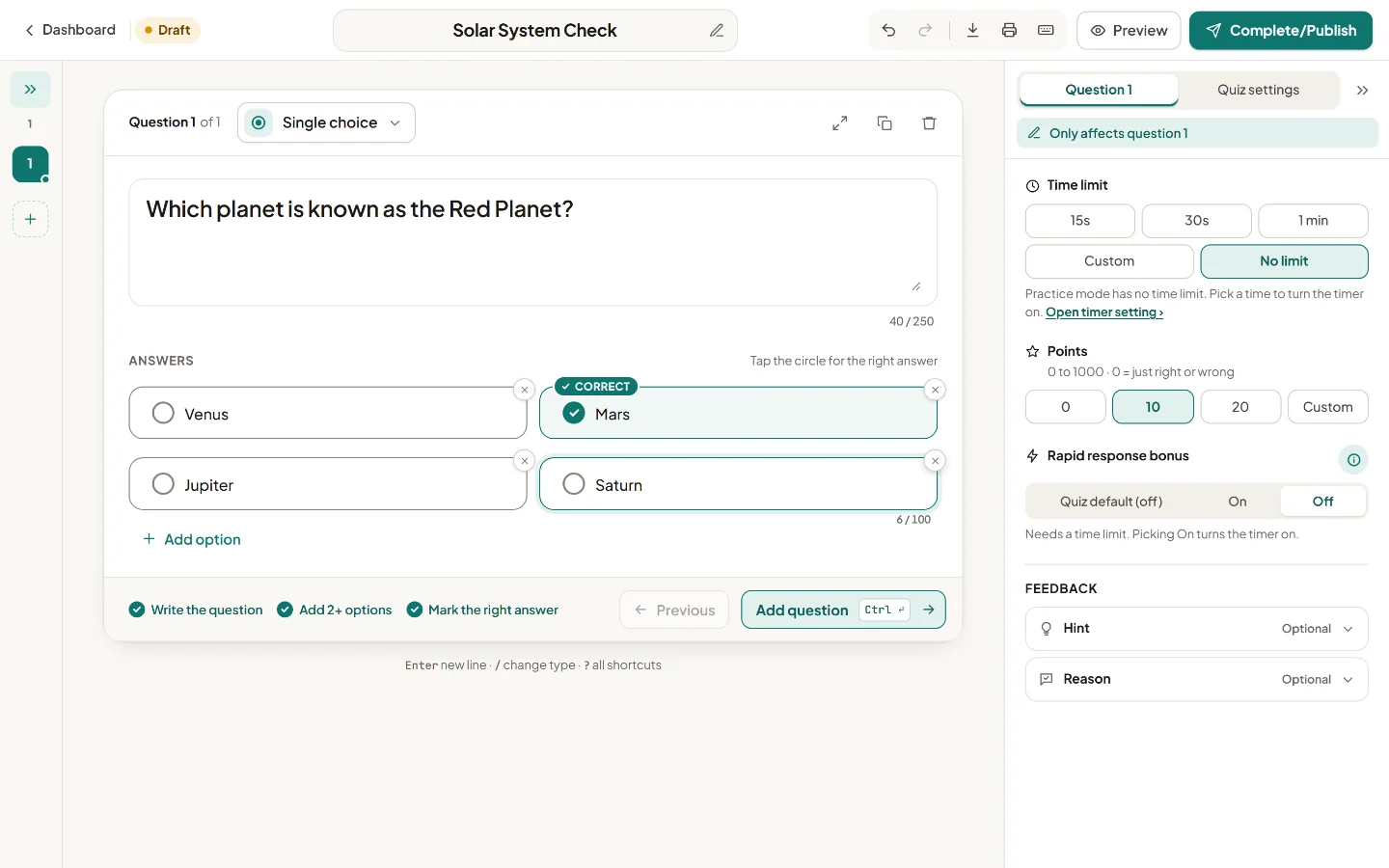
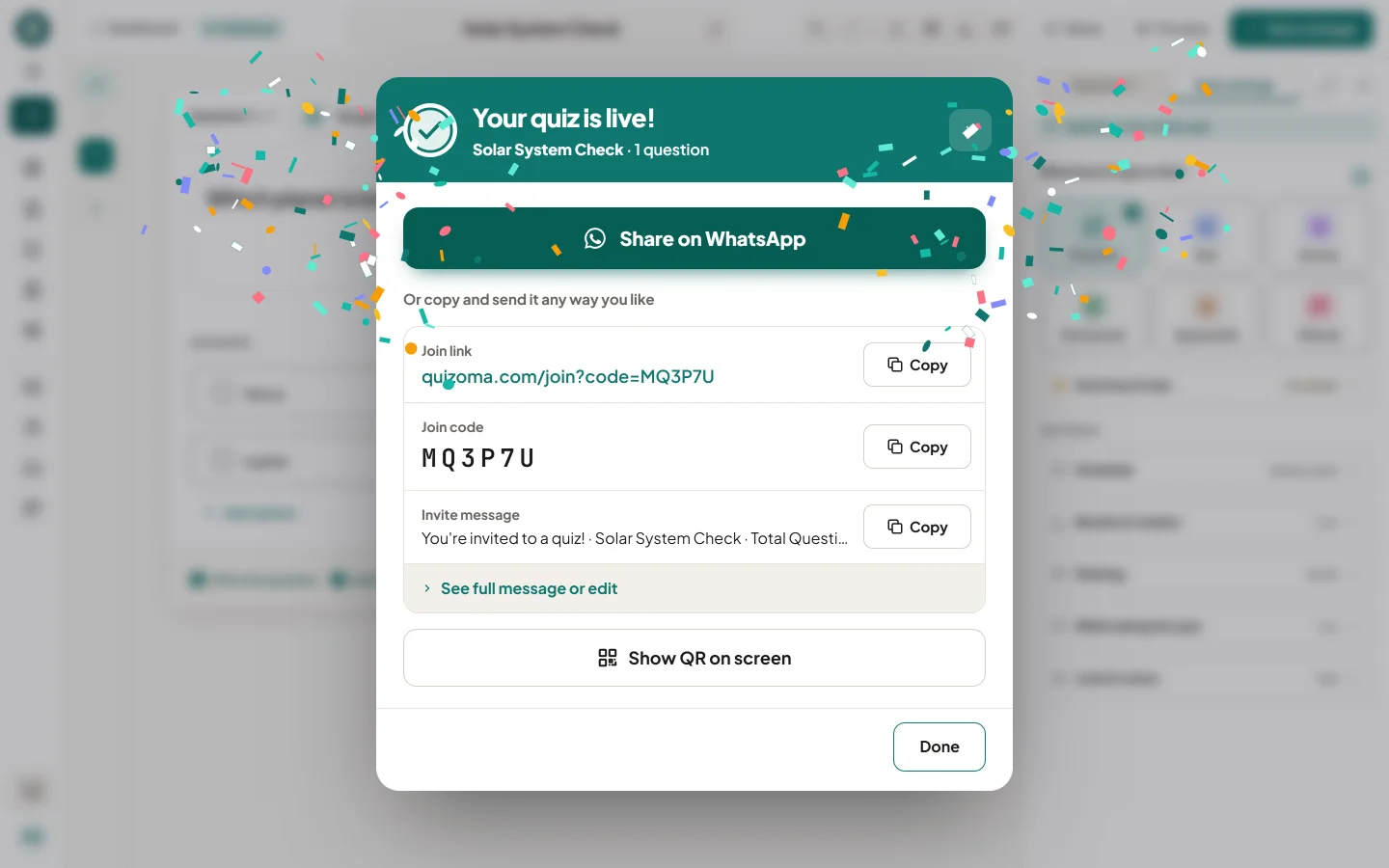
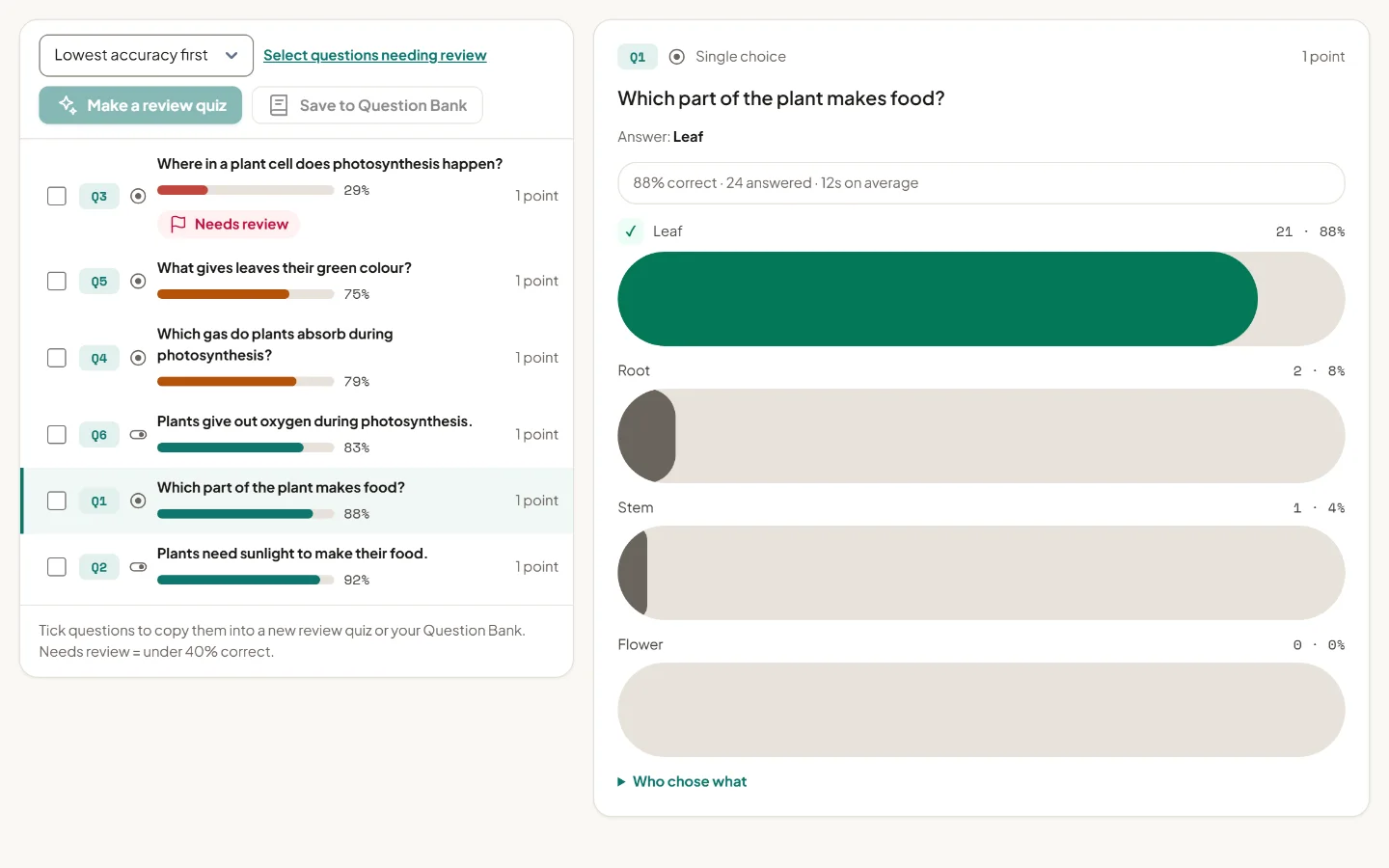
A look at question settings, sharing and reports in Quizoma Studio.
Set a time limit and points when your quiz needs them.
How to make an online exam
Add the questions
Type them, paste them, or import a .txt or .csv file of MCQs, true/false and written questions.
Choose “Test” and a schedule
Test keeps answers hidden, gives one attempt and times each question. Set when it opens and when it closes.
Share the code, read the results
Students join with a 6-character code or QR. MCQs are marked instantly; written answers by your rules — or by you.
Built for a test that counts
Fair conditions for everyone
A timer on every question, one attempt, no going back to change an answer, and an optional reading pause so the clock starts only when the choices appear.
Results when you decide
Keep scores hidden until the test ends, or until you announce them. Nobody sees an answer key while others are still sitting the test.
Written answers you can trust
Mark short answers by rules you choose — exact, typo-tolerant, keywords, numbers in any form — and override any mark. Or switch to manual marking.
Reports for school and home
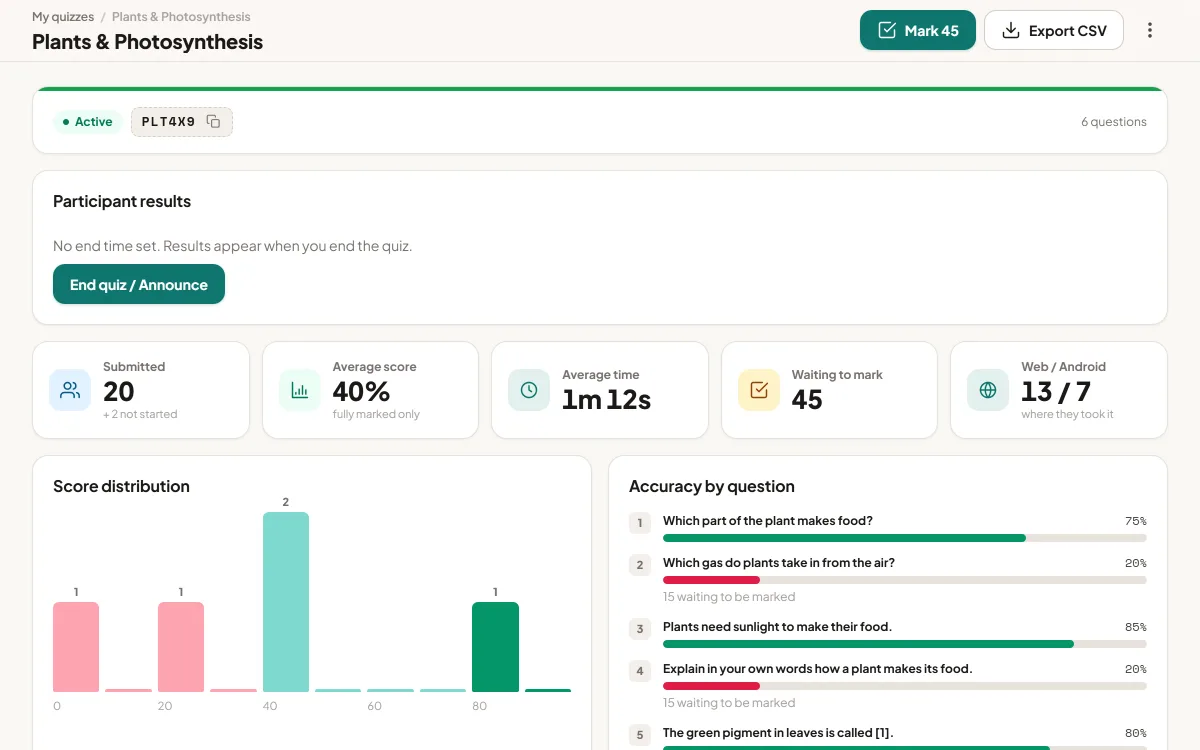
Accuracy per question, score distribution, and PDF, Excel or CSV reports — plus a parent report for each student that shows the class only as totals.
Eight question types in one test
- MCQ (single answer) and multiple correct, with optional partial credit.
- True / false, with an optional box for students to explain.
- Fill in the blanks, each gap with its own accepted answers.
- Drop-down blanks, where students pick each missing word from a short list.
- Written short answers, auto-marked by your rules or marked by you.
- Put in order, where students arrange shuffled items into the right sequence, with partial credit.
- Polls, which never affect the score.
- Not sure which to use? See the types of quiz questions, with an example of each.
Questions can be written in English, Urdu, Hindi, Arabic or any other language, and right-to-left text shows the right way round.
For schools, academies and tutors
Run a weekly MCQ test for a coaching class, a chapter test for a school section, or an entry test for new students. Students take it on their own phone or a lab computer, in any browser, after signing in with Google. On Android the app is offline-first, so a test keeps running when the internet drops and the answers are sent when it comes back.
Want students to practise first? Share a practice test with retakes on a week before, using the same questions.
Need the exam on paper too?
Print the same exam with the question paper generator: school header, sections and marks, A/B versions and a separate answer key, as PDF or Word. Not every quiz needs to be strict — see the other types of quizzes for practice rounds and homework.
Honest limits
A free account has a limit on quizzes and on questions per quiz. Everyone signs in with a Google account. There is no live proctoring or webcam monitoring. The Android app is coming soon to Google Play.
Questions
Yes. Every feature is free, with no ads and no in-app purchases. A free account has a limit on quizzes and on questions per quiz.
Not with the Test preset: answers stay hidden and each student gets one attempt. You choose whether results appear when the test ends or only when you announce them.
Yes. Set a start date and time and an end time, or leave it open until you end it.
By rules you choose per question — exact, typo-tolerant, keywords or numbers in any form — and you can change any mark. Or switch the test to manual marking and mark every answer yourself.
Yes. It runs in any browser and on Android, works in English and with questions written in Urdu, Hindi or Arabic, and the Android app keeps going when the internet drops.