

Online MCQs test: practise free, then print it as a paper.
Take an MCQs test online — Matric and FSc physics, chemistry, biology and computer science, English grammar, Pakistan Studies and more. Every question has its answer. Share any test with a code so a whole class can take it, or print the same questions as an exam paper with an answer key.
Matric and FSc MCQs
Class 9 and 10 and FSc part 1 practice by subject, plus Pakistan Studies MCQs.
9th Class Physics MCQs
Measurement, kinematics, dynamics, and work and energy.
9th Class Chemistry MCQs
Fundamentals, atomic structure, the periodic table and bonding.
9th Class Computer Science MCQs
Problem solving, binary, networks, and data and privacy.
10th Class Biology MCQs
Gaseous exchange, homeostasis, coordination and inheritance.
FSc Part 1 Physics MCQs
Vectors, motion, work and energy, and oscillations and waves.
FSc Part 1 Computer Science MCQs
Computer systems, number systems, networks, software and databases.
Pakistan Studies MCQs
Creation of Pakistan, its land, history since 1947, and culture.
English grammar and vocabulary MCQs
Articles, prepositions, voice, narration, tenses and word meanings.
English Grammar MCQs
Articles, prepositions, agreement, voice and narration.
English Tenses Quiz
Present, past, future and perfect tenses.
Grammar Quiz
Plurals, verbs, word classes and apostrophes.
English Vocabulary Quiz
Synonyms, antonyms, word meanings and commonly confused words.
Science and maths MCQs
Biology, chemistry, physics, algebra and general science.
Science Quiz Questions
Biology, chemistry, physics and Earth and space.
Human Body Quiz
Organs, bones and muscles, blood and breathing, and the senses.
Chemistry Quiz Questions
Elements and symbols, atoms, compounds and reactions.
Physics Quiz Questions
Forces, energy, electricity and waves.
Cell Biology Quiz
Cells, organelles, DNA and genes, and microbes.
Environment and Climate Quiz
Climate change, energy, recycling and biodiversity.
Maths Quiz Questions
Number, fractions and decimals, percentages and shapes.
Algebra Quiz
Expressions, equations, sequences and straight-line graphs.
General knowledge and more
World capitals, history, geography, computers, money and workplace safety.
General Knowledge Quiz
Mixed questions on geography, maths, science and literature.
World Capitals Quiz
Capital cities of Asia, Europe, Africa, the Americas and Oceania.
World History Quiz
From the ancient world to the 20th century.
Physical Geography Quiz
Continents and oceans, rivers and mountains, climate and hazards.
Computer Basics Quiz
Hardware, software, the internet and staying safe online.
Personal Finance Quiz
Budgeting, saving, interest and staying safe with your bank.
Workplace Safety Quiz
Fire safety, first aid, hazards and data security for staff.
Christmas Quiz 2026
Traditions, films, music, food and Christmas around the world.
Teaching a class? Turn any MCQs test into a quiz.
Pick questions, press Open in Studio, share a 6-character code. Marking is automatic.
Take it, share it, or print it: 4 steps
- 1
Pick a subject and your questions
Choose a subject above. On its page press Preview to play it as a quiz, reveal any answer, or tick the questions you want (or Select all 20 in a round) and press Open in Studio.
- 2
Open “Print paper”
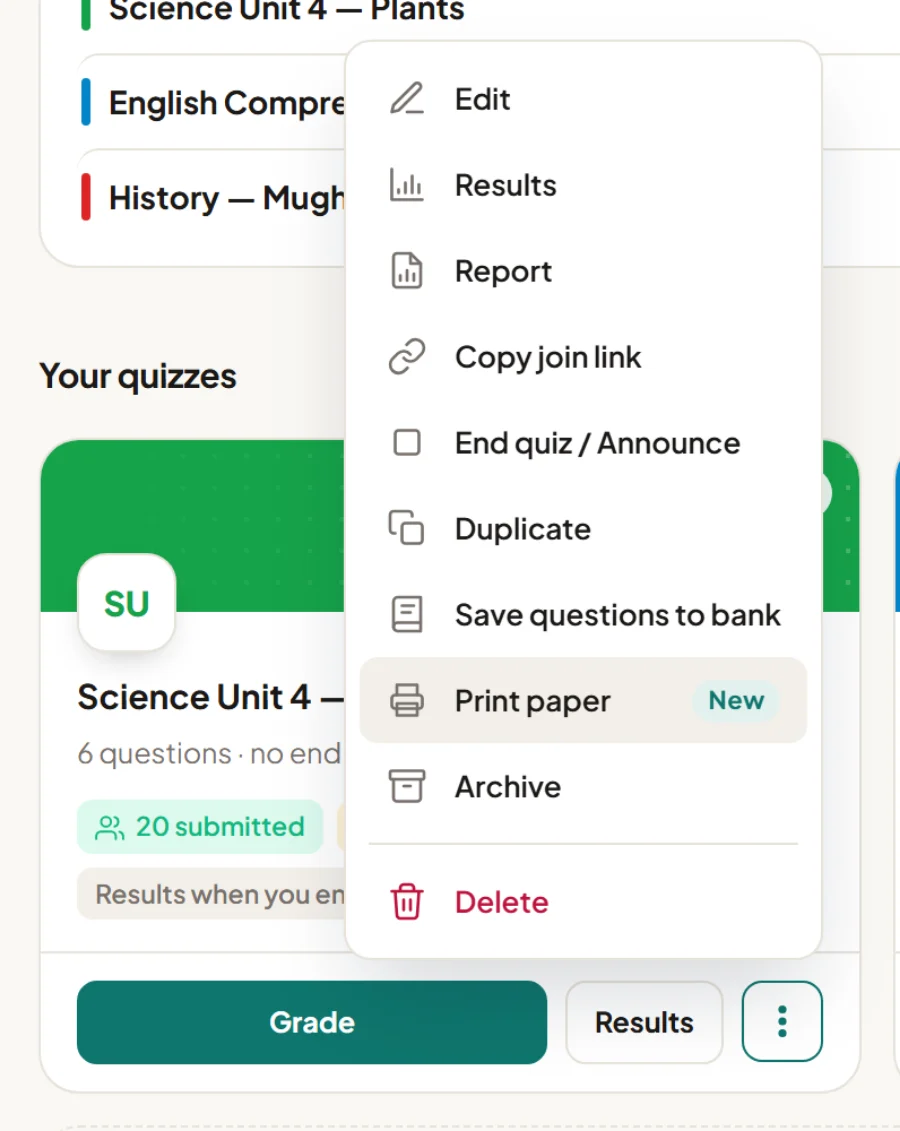
On your Quizoma Studio dashboard, open the ⋮ menu on any quiz and choose Print paper. Already inside the quiz editor? Press the Print button at the top — it prints what you see, even before you save.
- 3
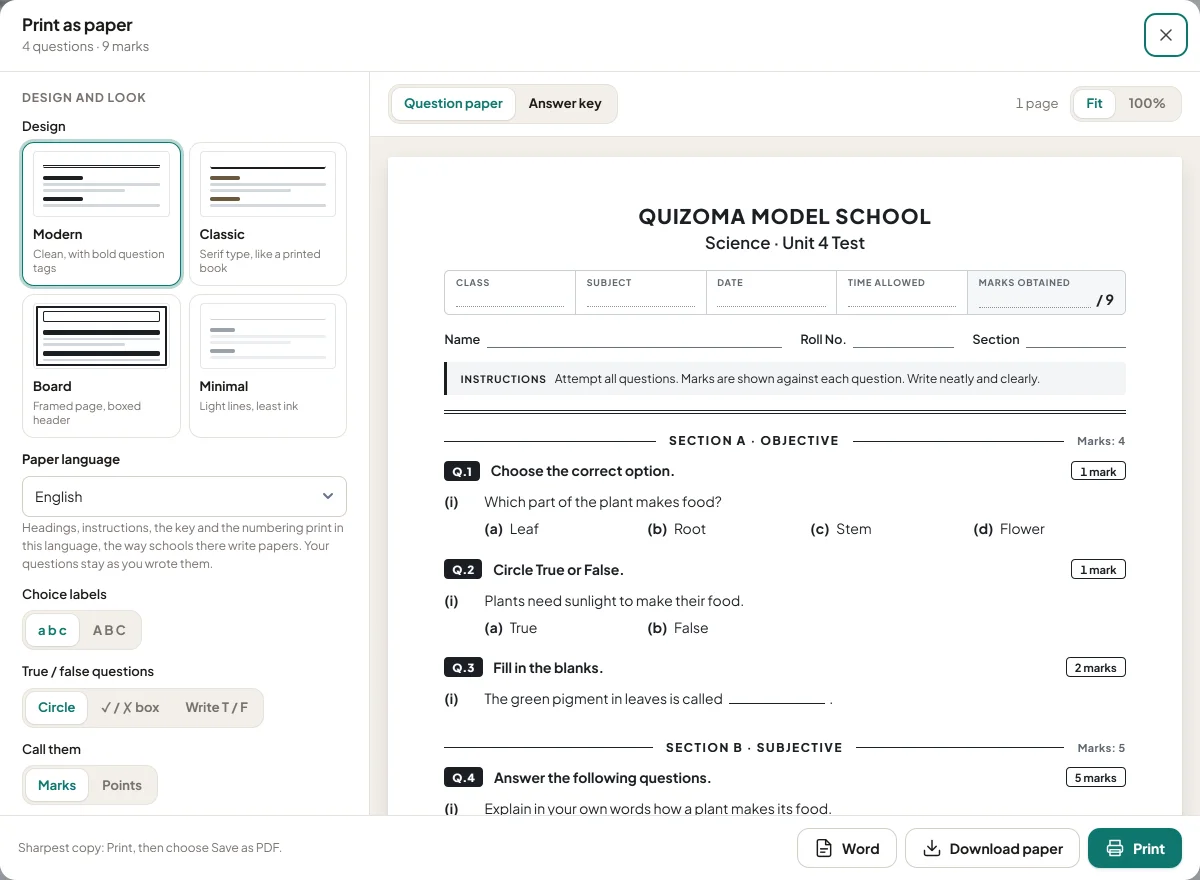
Choose how the paper looks
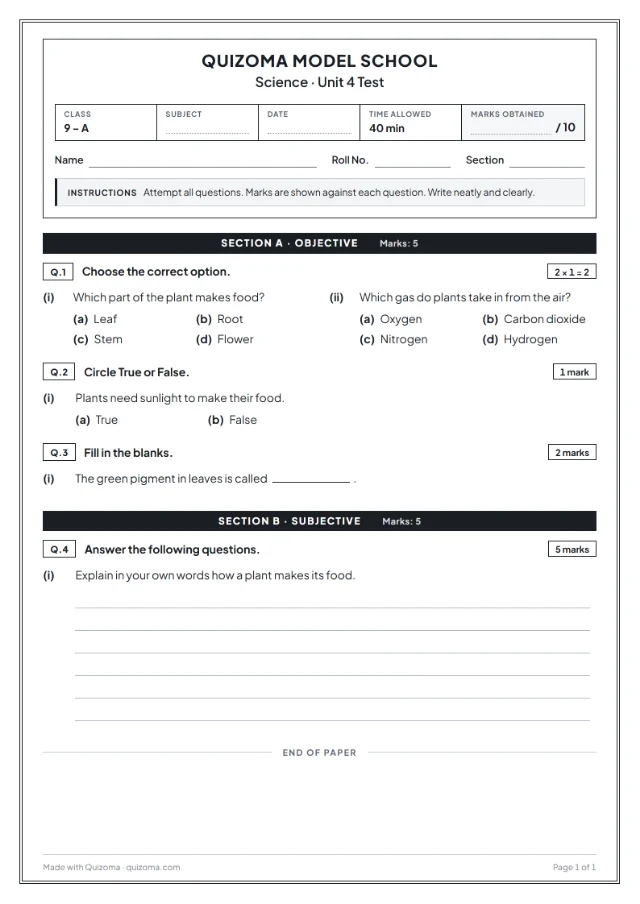
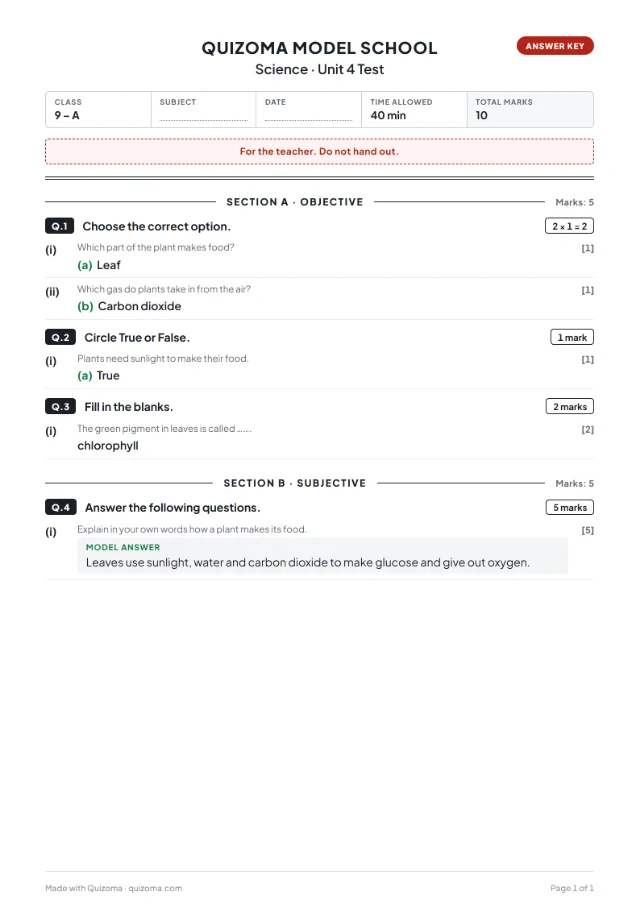
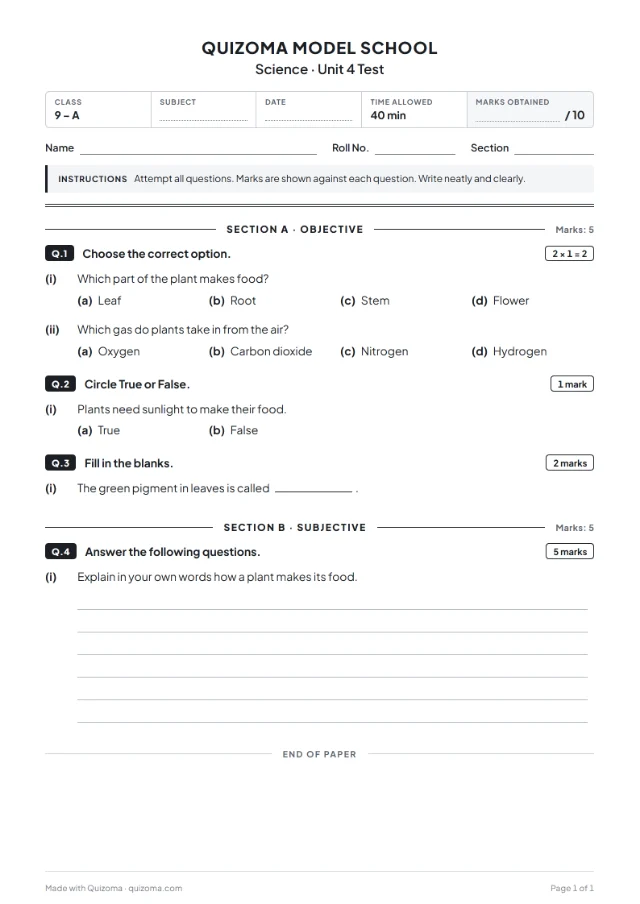
Add your school name and logo, then pick a design, the paper language (14 to choose from), sections or a ruled table, versions A–D, a watermark and an answer-key page. The preview on the right updates as you click.
- 4
Print it or download it
🖨️PrintStraight from the browser to your printer📄PDFThe paper, and the answer key as its own file📝WordAn editable .docx to change afterwardsQuick print, no sign-in: every subject page has Question sheet (no answers) and Host answer sheet buttons that print the questions you picked. For a full exam paper — header, sections, marks, answer key, PDF or Word — open the questions in Studio and use Print paper.
Why practise MCQs online
See the answer straight away
Every question comes with its correct answer, so a wrong guess turns into learning, not just a lower mark.
Short rounds of 20
Each subject is split into rounds of 20 questions, so you can do one round in a break or run a whole class test.
Easy, medium and hard
Every round mixes the levels, so a test is neither too easy nor a wall. Filter by level when you want to focus.
Your own MCQs test too
Add your questions to any test, change the quiz type with one tap, and see which questions your class found hard. Learn the types of quizzes.
Honest limits
These are original practice questions written for Quizoma and grouped by subject for revision — they are not official board papers, and we have not yet had every answer key checked by a subject teacher, so please check answers against your textbook. Quizoma has no syllabus question bank beyond these 27 tests. By default an account holds 10 quizzes of up to 20 questions each, and you sign in with Google to make one.
Questions
Yes. All 27 subject tests are free, with no ads. You can play any of them with Preview, reveal the answers, and print the question sheets without paying.
Yes. Every question has its correct answer, which you can reveal on the subject page, and Preview plays the questions as a quiz so you can check yourself.
No. They are original practice questions written for Quizoma and grouped by subject, for Matric and FSc revision and general practice. They are not official board papers, so check the answers against your textbook.
Yes. Open the questions in Quizoma Studio, publish the quiz and share the 6-character code. Students answer on their phones or laptops and you see the results, with automatic marking.
Yes. Open the quiz in Studio and choose Print paper for an exam paper with a header, sections, marks and an answer key, as PDF or Word. For a quick sheet without signing in, use Question sheet (no answers) on the subject page.
27 subject tests with 2,700 questions in total, at least 100 per subject, in rounds of 20.