

Watch Quizoma work, from the first question to the final report.
Press play and watch a teacher make a quiz in the browser while a student answers it on a phone. Each step explains itself. Pause whenever you like.
- ✓ Free
- ✓ Nothing to install
- ✓ Students need no app
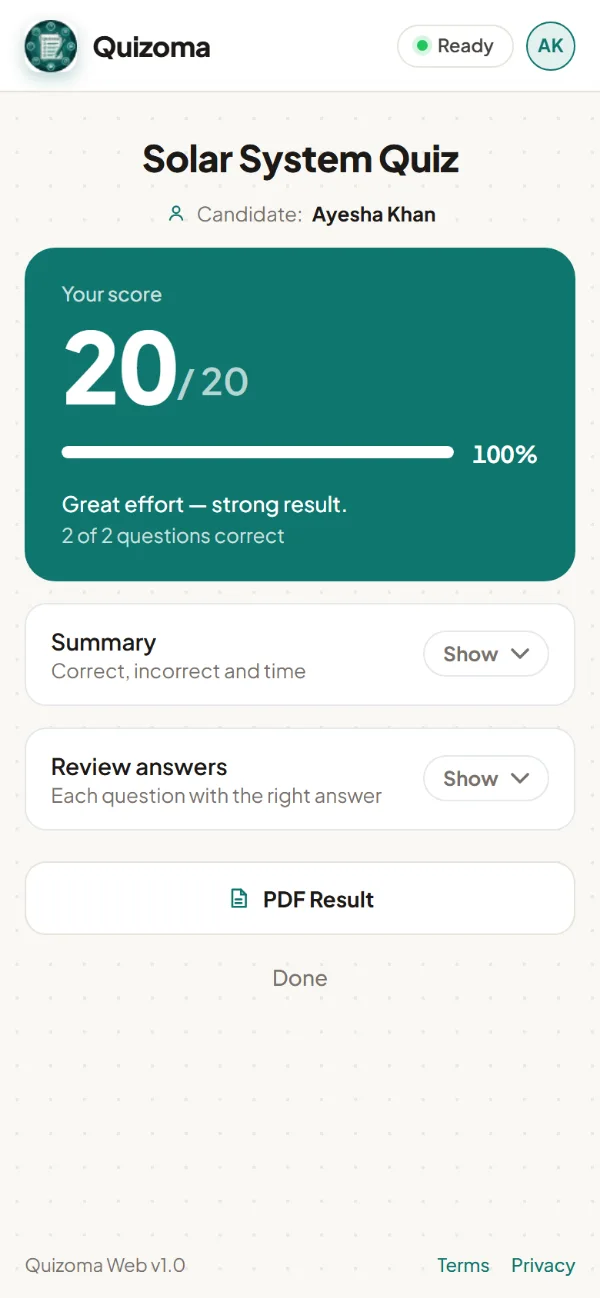
Watch a quiz, start to finish
About 3 minutes · pause or skip any time
Press play to start.
Eight steps. Only one needs more than a minute of you.
Create
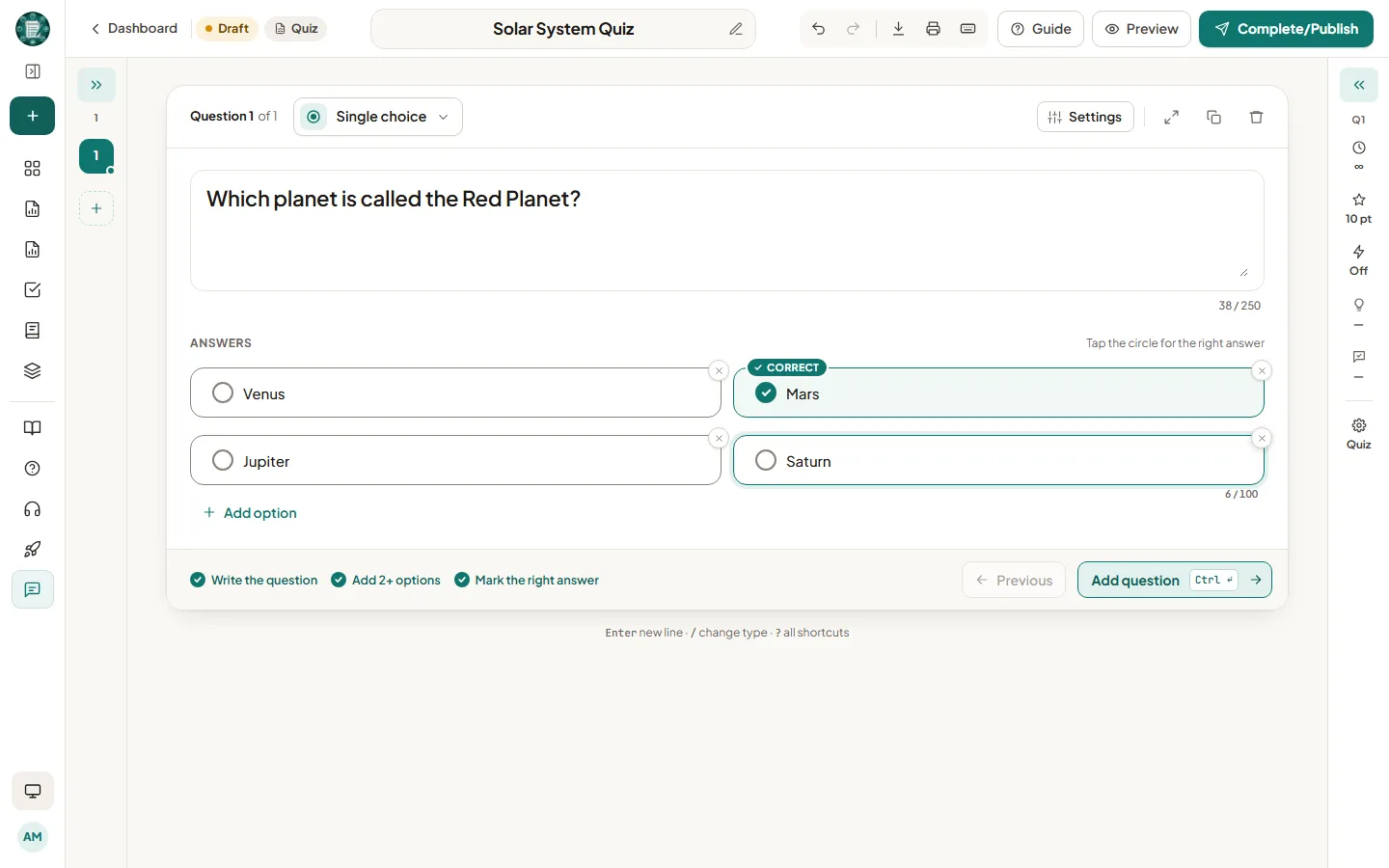
Choose quiz or survey, type a question, tick the right answer. Eight question types, saved as you type.
Settings
Pick a mode such as Practice, Test or Homework. It sets the timer, retakes and when scores show, all in one tap.
Preview
See exactly what a student sees on a phone before anything is shared.
Share
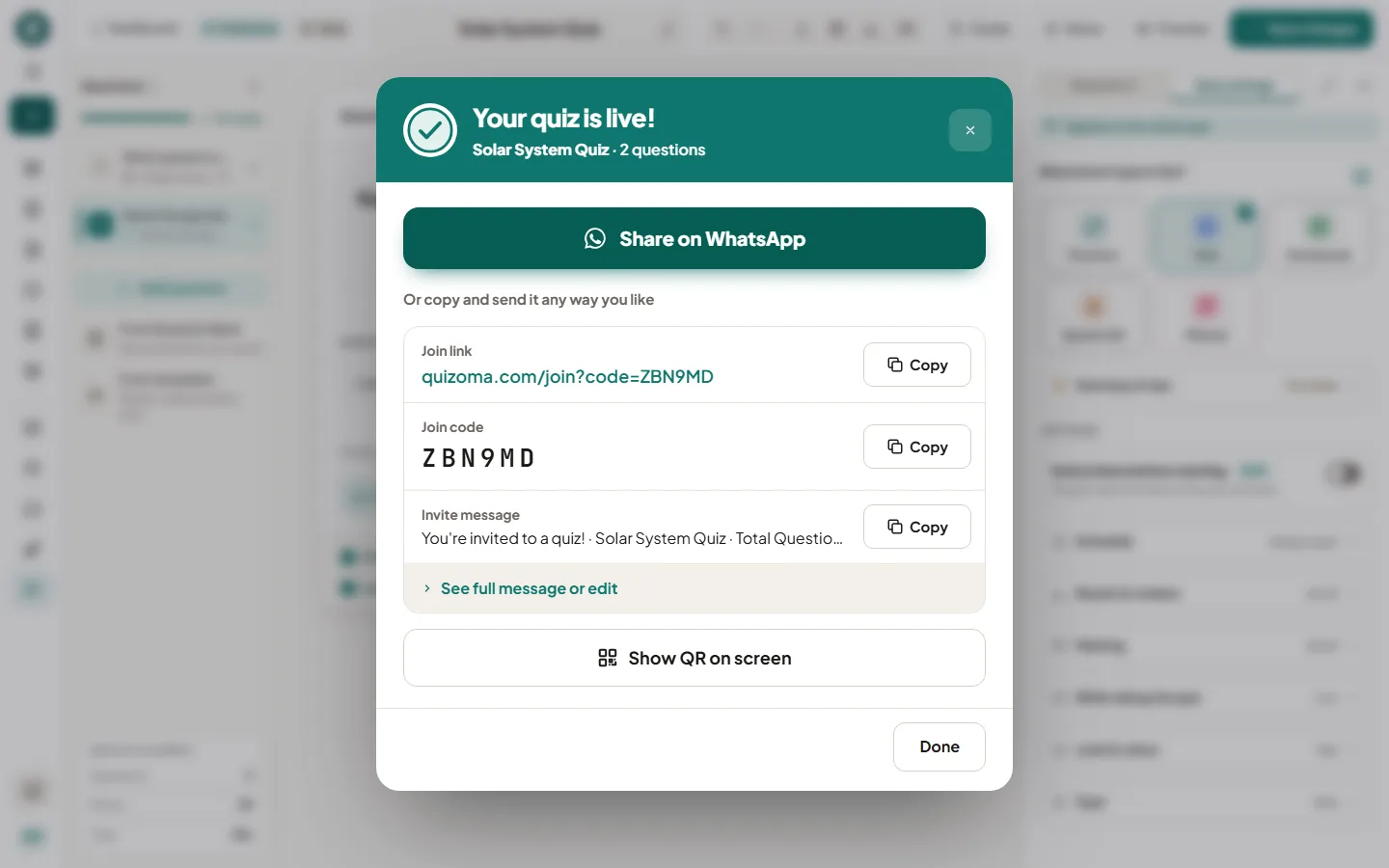
Publish to get a link, a 6-letter code and a QR. Send it on WhatsApp or write the code on the board.
Take
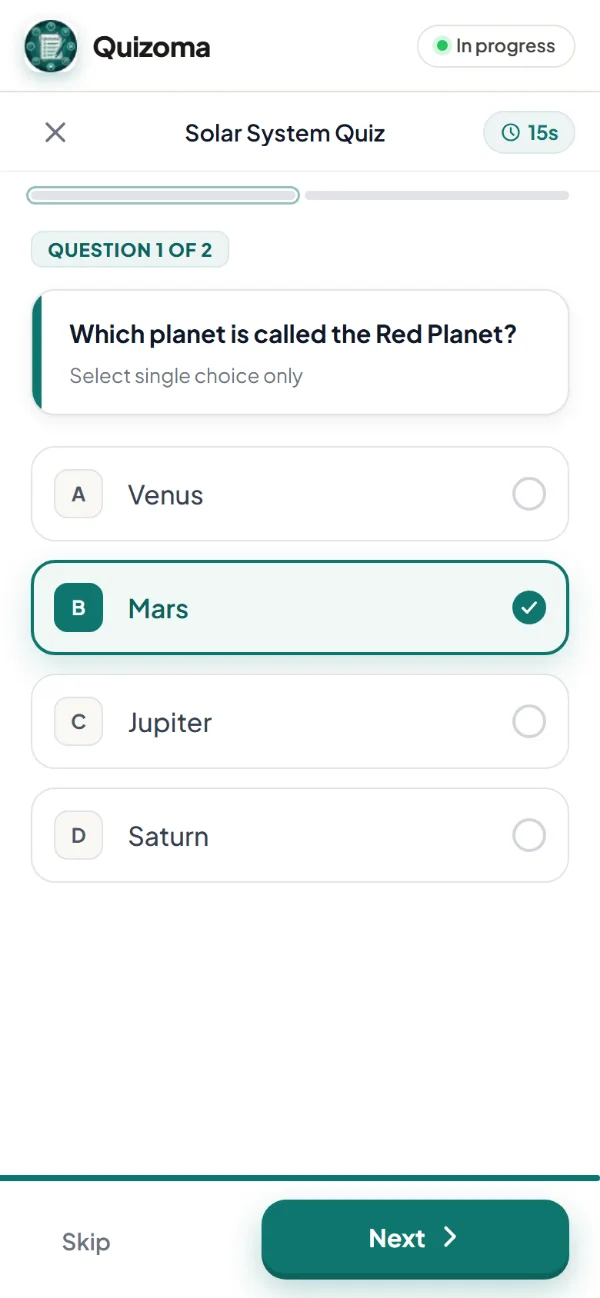
Students open it in any browser, with no app needed. You see them join and submit live.
Mark
Choice answers mark themselves. Same written answers sit on one card, so one key marks the whole group.
Results
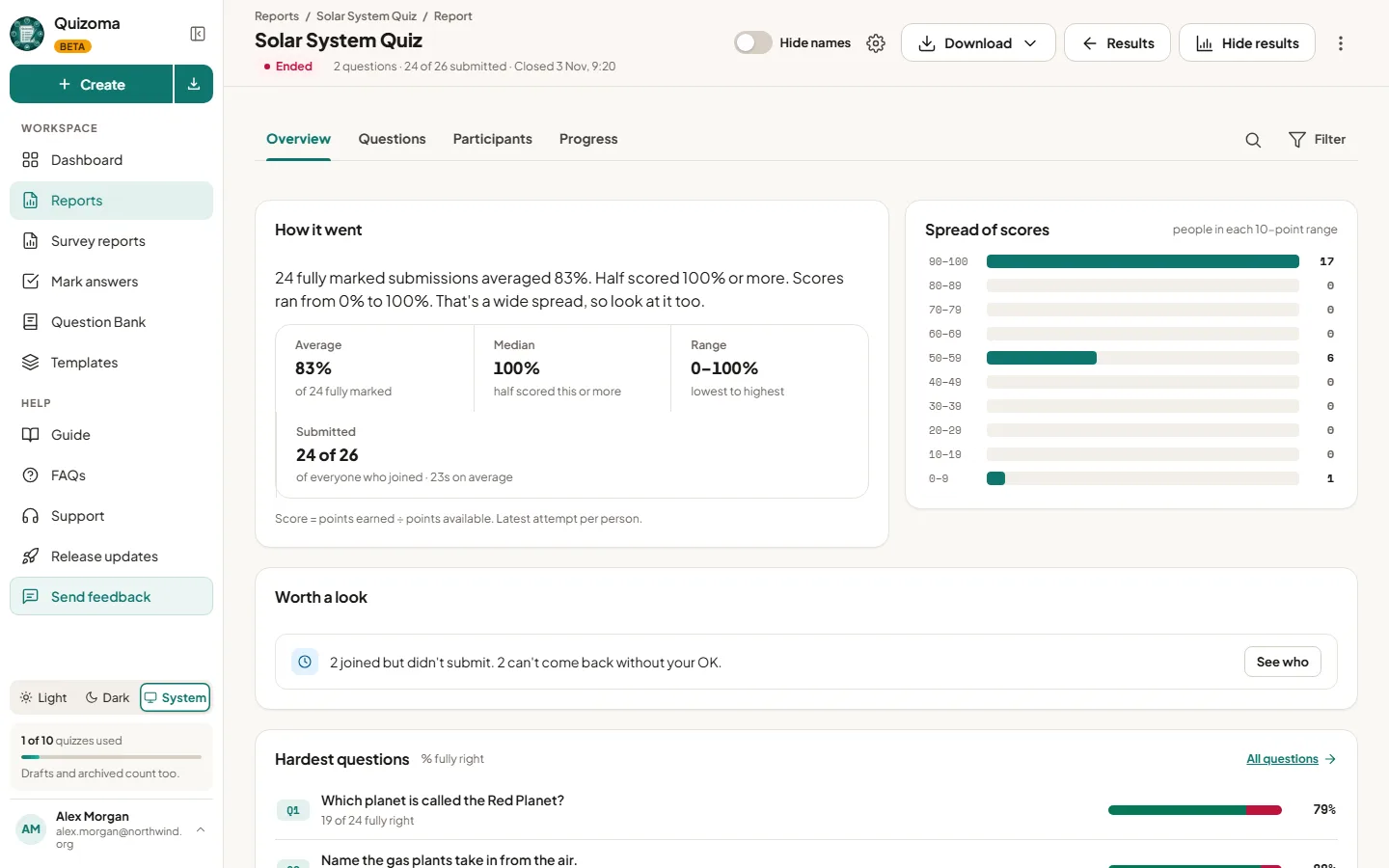
Announce when you’re ready. Students see their score; you see the average, the spread and the hardest question.
Report
See what to teach next, make a review quiz in one click, and download PDF, Excel or parent reports.
Make your first quiz or survey now. It’s free.
Sign in with Google and you’re in Studio, the same screens you just watched.